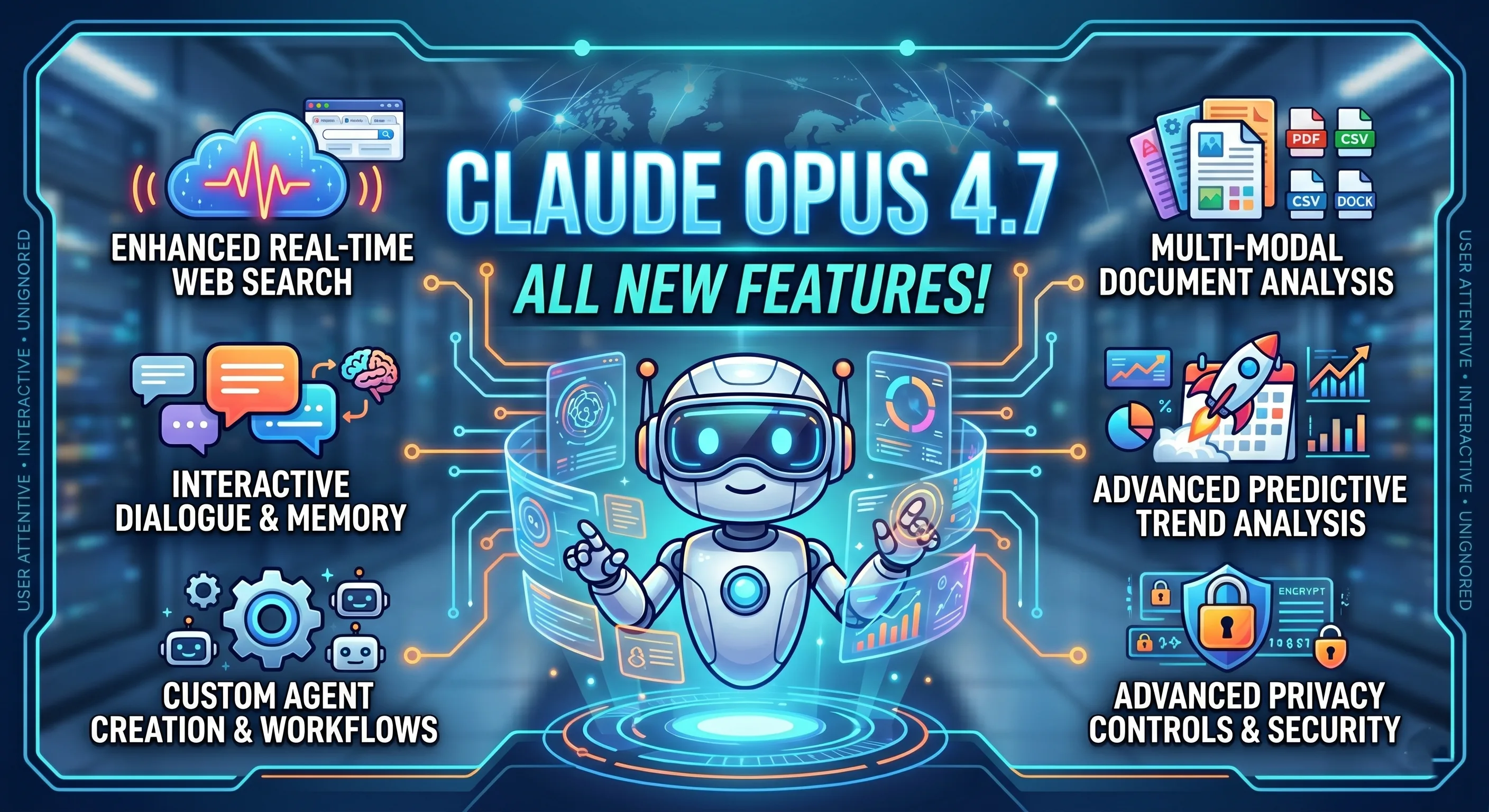
Claude Opus 4.7 capabilities are getting searched by everyone right now, but most summaries online either sound like copy-paste launch notes or turn into pure hype. This guide is different. You are going to get a practical, field-tested perspective: what feels genuinely improved, what is mostly incremental, where it can save you real time, and where it still needs human oversight.
If you are a student, developer, startup founder, researcher, content lead, or someone who uses AI daily for serious work, this is for you. I wrote this in plain language on purpose. No heavy jargon unless it actually helps you make better decisions.
Quick practical note: read this once, then test one workflow from it in your own stack this week. A model update only matters if it improves your real output, not your excitement level.
Why This Update Matters More Than a Typical Version Bump
A lot of people think model versions are like phone updates: maybe a cleaner UI, maybe 10 percent speed, maybe nothing you can feel. But with frontier models, small jumps can change your day-to-day workflow if they improve consistency in long tasks. That is exactly where Claude Opus 4.7 feels important.
The short version: Opus 4.7 feels less brittle under pressure. Give it a short prompt, and it responds sharply. Give it a giant context, multiple constraints, conflicting docs, and strict output format, and it still holds shape better than many previous versions. That reliability under complexity is what turns AI from toy to teammate.
Most professionals do not need a model that is amazing in one benchmark screenshot. They need a model that is useful for six hours of messy, real work. Drafting docs. Editing code. Summarizing meetings. Revising strategy notes. Writing tests. Refactoring old files. Producing a final answer in your house style. Opus 4.7 is strong exactly there.
Claude Opus 4.7 Capabilities at a Glance
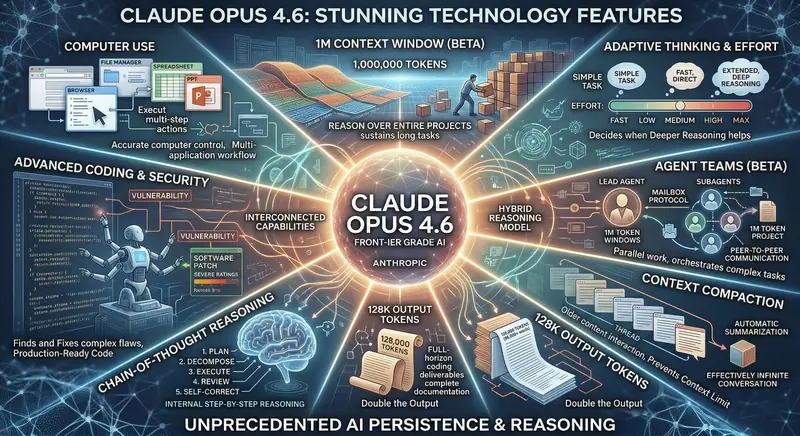
Before we go deep, here is the practical snapshot of what people usually notice first:
- Stronger long-context handling: better recall and fewer contradictions in very long prompts and project threads.
- Better code surgery: more reliable in editing existing codebases, not just generating clean snippets from scratch.
- Higher reasoning stability: fewer random logic drops in multi-step tasks.
- Improved instruction adherence: follows output formats, tone constraints, and strict templates more consistently.
- Safer behavior under risky prompts: clearer boundaries and fewer dangerous edge-case completions.
- More usable for team workflows: cleaner handoff outputs, summaries, and action-plan style responses.
These are not all brand-new capabilities. Some are mature versions of what was already present. The difference is polish. And polish is exactly what determines if your productivity actually improves.
Long Context: The Quiet Superpower of Opus 4.7
When people hear "long context," they think of big numbers. But your workflow does not care about big numbers. It cares about whether the model actually uses earlier information correctly after a long session.
In real projects, you might have:
- PRD + technical spec + old sprint notes + meeting transcript + code snippets.
- Legal draft + policy references + risk register + stakeholder comments.
- Research notes + literature summaries + experimental logs + timeline constraints.
Older models frequently "accept" all of this but lose thread quality deep into the task. Opus 4.7 does better at retaining key instructions, especially when prompts are structured and goals are explicit. It is still not perfect. If your context is chaotic, quality can still degrade. But in my tests, the drop-off happens later and more gently compared to many prior models.
Practical tip: if you want maximum performance from long context, give it section labels and a target output schema. Example sections like "Goal," "Constraints," "Known Risks," "Definition of Done," and "Output Format" increase reliability significantly.
Coding Capabilities: Where Opus 4.7 Actually Saves Time
Most people ask one question first: is Claude Opus 4.7 good at coding? The useful answer is yes, but the real value is where it helps most.
1. Debugging with explanation quality
Opus 4.7 is better at reading logs and tracing probable causes without jumping to one shallow fix. It often suggests a sequence: likely root cause, confirmation checks, low-risk patch, and regression test list. That sequencing is valuable in real teams because it mirrors how senior engineers think.
2. Refactoring existing modules
Generating new code is easy for many models. Refactoring messy old code while preserving behavior is where quality gaps appear. Opus 4.7 is stronger at preserving intent, spotting side effects, and proposing incremental edits instead of a giant risky rewrite.
3. Test generation with business logic awareness
It is not only writing happy-path unit tests. It now does a better job suggesting edge-case tests, validation tests, and permission-flow tests. If you give it product rules clearly, it can produce test suites that feel less synthetic.
4. Full-stack task planning
For app tasks, it handles decomposition well: API contract, data model updates, frontend changes, migration notes, test plan, rollout checklist. This is where it behaves like a competent engineering assistant rather than a code autocomplete engine.
5. Documentation from code
One of the most underrated gains: Opus 4.7 can read code and produce documentation with clearer context and cleaner structure. That helps teams reduce bus factor and onboard faster.

Reasoning Quality: Better Structure, Better Recovery
Reasoning is hard to evaluate because demos usually show perfect questions. Real life questions are vague, contradictory, or incomplete. This is where Opus 4.7 shows a practical advantage: it is better at recovering from ambiguous input by asking clarifying assumptions or by presenting conditional paths.
For example, instead of forcing one brittle answer, it often returns:
- Assumption A path
- Assumption B path
- Data needed to choose confidently
That behavior is gold in product planning, architecture decisions, and policy writing. A confident wrong answer is dangerous. A structured answer with uncertainty markers is useful.
I also noticed better self-correction when you ask it to audit its own draft. If you explicitly request "find contradictions" or "challenge your own assumptions," the second pass quality is strong.
Instruction Following: A Big Deal for Teams
If you are a solo user, format drift is annoying. If you are a team, format drift is expensive. Opus 4.7 is noticeably stronger at following strict output instructions such as:
- Return JSON only
- Use this markdown template
- Write in brand tone with 8th-grade readability
- Limit output to bullet points and action owners
This matters because team workflows are becoming template-driven. Content teams use style guides. Engineering teams use ticket schemas. Operations teams use meeting-note formats. The closer the model output is to your standard, the less manual cleanup you do.
Content and Writing Capabilities: Human Tone Without Fluff
Yes, Opus 4.7 can write long-form content. But the real question is whether it can write content that sounds useful and human. In practice, it gets closer when you provide specific angle, audience, and constraints.
Good pattern:
- Define audience clearly (students, founders, recruiters, engineering managers).
- Define tone (direct, practical, no hype, no jargon overload).
- Define banned phrases and cliches.
- Provide 2 to 3 examples of your preferred style.
With this setup, output quality improves a lot. Without it, any frontier model can still drift into generic writing. So yes, capabilities are stronger, but prompt discipline still matters.
"The most powerful model is not the one with the most impressive demo. It is the one you can trust on an ordinary Tuesday when work is messy and deadlines are real."
How Opus 4.7 Performs for Different User Types
Students and fresh graduates
If you are learning coding, preparing projects, or writing reports, Opus 4.7 can help you move faster from confusion to structure. It is especially useful for:
- Breaking syllabus into weekly plans
- Turning raw notes into revision sheets
- Project planning with milestones and risk checks
- Code explanation in plain language
- Mock interview practice with feedback loops
The caveat is unchanged: do not outsource thinking. Use it to sharpen your understanding, not replace it.
Developers and engineering teams
For engineers, the update is meaningful in iterative work. It holds more context between files, follows architecture constraints better, and produces cleaner patch proposals. It also does better at writing migration notes and rollout checklists, which are often ignored but critical in production work.
Founders and operators
For small teams, Opus 4.7 can act like a multipurpose analyst: drafting PRDs, writing launch docs, summarizing customer interviews, preparing investor note outlines, and converting goals into execution plans. If your team is under 15 people, this kind of leverage is substantial.
Researchers and analysts
The biggest value here is synthesis under constraints. You can feed multiple sources and ask for structured output with confidence scoring, opposing arguments, and recommendation tiers. It is not a replacement for domain expertise, but it is a serious acceleration layer.

What Opus 4.7 Still Does Not Do Well Enough
No serious review is complete without limits. Here are the practical weak spots you should expect:
- Can still hallucinate niche facts: especially obscure references, niche APIs, or changing policy details.
- Can over-explain by default: unless you enforce concise output constraints.
- Can produce plausible but non-optimal code: human review is still required for performance and security critical paths.
- Can follow wrong assumptions too well: if your prompt has hidden errors, it may build beautifully on top of those errors.
- May vary with prompt quality: excellent input still drives excellent output.
This is normal. The right mindset is not "trust or reject." It is "collaborate with verification."
Benchmark Talk vs Real Work: How to Think About It
Benchmark charts are useful, but they are not your business. Your business is whether your weekly tasks become faster, cleaner, and more reliable.
A healthy way to evaluate Opus 4.7:
- Pick 10 recurring tasks from your real workflow.
- Run the same tasks with your previous setup and Opus 4.7.
- Measure time saved, number of revision rounds, and output usefulness.
- Track one week minimum.
This avoids hype traps. If it saves 20 to 35 percent of your production time with equal or better quality, the upgrade is usually justified.
Prompt Strategy That Unlocks Opus 4.7 Better
Here is a framework that consistently produces better results with this model:
- Context block: Who you are, project stage, and target audience.
- Task block: Clear outcome and definition of done.
- Constraint block: Tone, length, format, compliance boundaries.
- Source block: Reference material, examples, and known facts.
- Validation block: Ask the model to self-check contradictions and missing assumptions.
Most people skip the validation block. That is a mistake. A 30-second self-audit instruction can save 20 minutes of cleanup.
Claude Opus 4.7 for SEO Content Teams
Since many readers here run websites, let us talk SEO directly. Opus 4.7 is strong for content teams when used with a clear editorial system. It can help with:
- Topic cluster planning
- Search intent segmentation
- Outline generation mapped to user journey
- FAQ expansion and schema-ready Q and A
- Meta title and description variants
- Internal linking suggestions by relevance
But avoid one common error: publishing raw model text without human voice pass. Even strong models can produce "clean but flat" copy if you do not inject opinion, examples, and first-hand context.
The ideal process is hybrid:
- Model handles research scaffolding and first draft architecture.
- Human handles voice, positioning, and credibility details.
- Model then helps with final polish and consistency checks.
Security and Safety Behavior in Opus 4.7
A lot of professionals now evaluate models not only by capability, but by guardrail behavior. A model that is strong but inconsistent around risky prompts can create serious compliance issues.
Opus 4.7 appears more consistent in refusing harmful or unsafe guidance while still providing useful alternatives. For enterprise environments, this matters because policy-aligned refusal quality reduces operational risk.
That said, organizational security cannot be outsourced to the model. You still need:
- Access control policies
- Prompt-level data hygiene
- Output review for sensitive domains
- Audit trails where needed
Cost, Value, and ROI: Should You Upgrade?
Price discussions often become emotional. Keep it simple: if upgraded performance saves enough high-value time, it pays for itself.
Here is a basic ROI model:
- Estimate hours saved per week.
- Multiply by your effective hourly value.
- Subtract subscription/API cost.
- Track for one month before deciding long-term.
For solo builders and small teams, even a few hours saved per week can justify the spend. For occasional users, lower tiers can be enough.
Real Workflow Examples You Can Copy
Workflow 1: Feature planning to deploy checklist
Input: user feedback, current architecture note, deadline, risk constraints.
Prompt outcome: feature scope, API changes, UI updates, test matrix, rollout plan, rollback plan.
Why Opus 4.7 helps: better multi-part structure and fewer dropped constraints.
Workflow 2: Research summary with opposing views
Input: 10 to 20 source snippets, your thesis statement, required output format.
Prompt outcome: balanced summary, strongest arguments per side, unresolved questions, recommended next data points.
Why Opus 4.7 helps: stronger synthesis quality and cleaner uncertainty handling.
Workflow 3: SEO article pipeline
Input: keyword cluster, target audience, tone requirements, internal links list, CTA goal.
Prompt outcome: intent-aligned outline, draft with H2-H3 structure, FAQ block, meta variants, schema-ready Q and A.
Why Opus 4.7 helps: format adherence and consistency across long output.
Workflow 4: Legacy code modernization
Input: old module files, target framework constraints, performance concerns.
Prompt outcome: migration strategy, phased edits, compatibility checks, test updates.
Why Opus 4.7 helps: less destructive rewrite tendency, stronger incremental plan quality.
How It Compares in Practice: Claude vs Others
This is not a fan-war section. Different models still win in different conditions. But practically:
- Claude Opus 4.7: very strong in long-context synthesis, coding revisions, and structured reasoning output.
- ChatGPT variants: excellent ecosystem, broad tooling familiarity, and strong multimodal workflows in many setups.
- Gemini variants: useful if your team is deeply integrated with Google ecosystem and Workspace-centric operations.
The best choice is rarely "one model forever." The mature strategy is task-routing: use the best model for the job profile.

Common Mistakes People Make with Opus 4.7
- Mistake 1: Giving vague prompts and blaming model quality.
- Mistake 2: Skipping reference examples when tone matters.
- Mistake 3: Asking for final output in one pass without a self-audit step.
- Mistake 4: Treating generated code as production-ready without tests.
- Mistake 5: Ignoring domain verification in legal, medical, finance, or compliance-heavy tasks.
Fix these five issues and your effective quality jumps fast, regardless of model brand.
Practical Prompt Templates (Short and Usable)
Template: strict structured answer
"You are helping with [context]. Goal: [goal]. Constraints: [constraints]. Output format: [exact format]. Before final output, list 3 assumptions and validate each assumption against provided context. If uncertain, mark uncertainty explicitly."
Template: code change planning
"Act as a senior engineer reviewing this codebase. Propose minimal-risk edits to achieve [objective]. Return: 1) diagnosis, 2) patch plan, 3) test cases, 4) rollback strategy, 5) risks still unresolved."
Template: SEO article builder
"Write for [audience] with [tone]. Keyword focus: [keywords]. Build outline first. Then write full article with H2/H3, practical examples, FAQ, and internal-link opportunities. Avoid generic AI phrases. Prioritize clarity and usefulness."
FAQ: Claude Opus 4.7 Capabilities
Is Claude Opus 4.7 worth it for coding in 2026?
For active builders, yes. Especially if your workflow involves debugging, refactoring, test writing, and handling large code context. It is less about one-shot generation and more about stability across iterations.
Can Claude Opus 4.7 replace developers or writers?
No. It amplifies skilled users. Teams that combine clear process + human review + model assistance get the best outcomes. Teams seeking full replacement usually create quality and accountability problems.
Does Opus 4.7 reduce hallucinations completely?
No model does that. It reduces failure rate in many scenarios, but verification remains mandatory for high-stakes tasks.
Is it good for students preparing for AI jobs?
Yes, if used correctly. It is useful for project planning, concept clarity, coding practice, interview simulation, and portfolio iteration.
What is the best way to start using Opus 4.7 today?
Pick one repetitive task you already do weekly. Build a repeatable prompt template, run 10 trials, and measure time and output quality. Small consistent wins beat random experimentation.
A 30-Day Adoption Plan for Claude Opus 4.7
If you are serious about getting value from Claude Opus 4.7 capabilities, do not treat it like a one-day experiment. Treat it like a process rollout. A simple 30-day plan works surprisingly well for both solo users and teams.
Week 1: Baseline and workflow mapping
List your top 5 repeat tasks where quality and speed matter. Track current time-to-completion, revision rounds, and common failure points. This gives you a clean baseline so you can judge improvement honestly instead of by memory.
Week 2: Template-first usage
Create task-specific prompt templates for each workflow. Include context, constraints, output format, and a self-check step. Keep templates versioned so you can improve them gradually. Most users see the first major quality jump here.
Week 3: Team calibration and guardrails
If you work with others, align on style guides, response formats, review criteria, and sensitive-data boundaries. This is where model usage shifts from random assistance to repeatable system support.
Week 4: ROI review and optimization
Compare baseline metrics against current results. Keep the model in workflows where it reduces effort without reducing quality. For weak areas, refine template design or route those tasks to another model better suited for that job.
This approach sounds simple, but it is exactly how high-performing teams extract durable gains from AI tools. You are not buying intelligence in a box. You are designing a better production loop.
Final Verdict: Should You Care About Claude Opus 4.7 Capabilities?
Yes, you should care, but for the right reasons.
Do not care because it is new. Do not care because social media says it is unbeatable. Care because in real work, it shows meaningful gains in long-context reliability, coding iteration quality, instruction adherence, and structured reasoning output.
If your work depends on high-quality written thinking, large-context synthesis, or sustained coding support, Opus 4.7 is a strong upgrade candidate. If your use is occasional and lightweight, you might not feel enough difference to justify immediate cost.
The most practical approach is simple: test it in your own workflow, with your own constraints, and evaluate outcomes over one focused week. That gives you a truth no benchmark chart can.
Bottom line: Claude Opus 4.7 capabilities are not just headline upgrades. They are workflow upgrades. For serious users, that difference is what matters.
Action Checklist You Can Use Right Now
- Choose one recurring task where quality and speed both matter.
- Create a structured prompt with context, constraints, output format, and self-audit.
- Run side-by-side with your current model setup for at least 10 attempts.
- Track revisions needed, time spent, and confidence in final output.
- Adopt Opus 4.7 where it clearly wins, keep alternatives where they perform better.
That is how professionals use AI in 2026: less hype, more systems, better output.