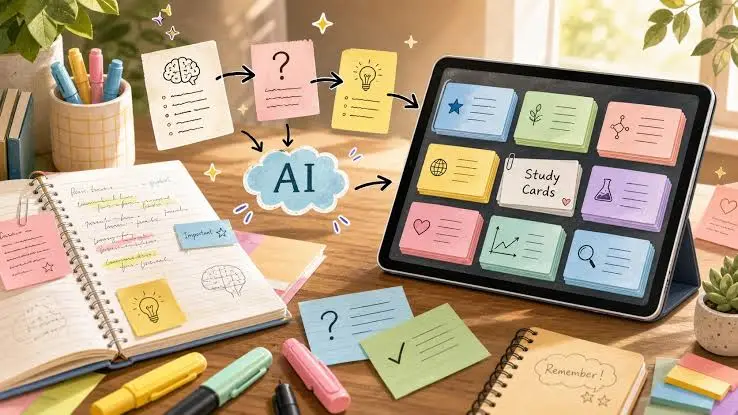
Two nights before my third-semester internals, I was sitting on my hostel bed at 1 a.m. with a 180-page PDF open, a highlighter I had not uncapped in an hour, and the growing certainty that I was going to fail. I had not been lazy. I had been busy — labs, an assignment nobody warned us about, coding practice I refused to skip. What I had not done was make notes, and the gap between "I have the material" and "I can revise from the material" was about eight hours of typing I did not have. That gap is the entire reason I built a free AI study stack. Not to learn for me. To do the typing. Everything in this article can be used without paying a rupee, though I will be honest about where the free tiers run out and where some of these tools would happily sell you a subscription.
My Actual Problem (You Probably Have the Same One)
The problem was never a shortage of study material. It was the opposite.
By the middle of any semester I had a folder that looked like a landfill. Lecture PDFs uploaded by four different professors with four different ideas of what a slide should contain. Photographs of the whiteboard, taken at an angle, half of them blurry. Two YouTube playlists I had bookmarked with genuine intentions in week one. A textbook that was prescribed but which nobody, including the professor, appeared to have read. Handwritten notes from the three lectures I attended with a working pen.
None of it was in a form I could revise from. And the traditional answer — sit down and make proper notes — assumed a version of me with eight free hours and functioning wrists. Making notes from a 180-page PDF by hand is not studying. It is transcription. You end up copying sentences with your brain switched off, and at the end you have a beautiful notebook you have not learned anything from.
What broke me was the arithmetic. Six subjects. Roughly 150 pages of material each. Internals every six weeks, semester exams after that, and assignments in between. If notes took six hours a subject, that was thirty-six hours per exam cycle just to reach the starting line of revision. I never once found thirty-six hours. So I would skip notes, revise directly from slides the night before, and perform exactly as well as that deserves.
Why I Wanted the Stack to Be Free
The obvious answer is that I am a student, but it is more specific than that.
Every study app I looked at wanted ₹300 to ₹800 a month. Individually that sounds survivable. But the trap is that no single app does everything — one is good at summaries, another at flashcards, another at PDFs — so the honest cost of a "complete" paid setup was three subscriptions, and suddenly I was spending more per month on study software than on food, for a benefit I had not yet proven existed.
There was also a subtler thing. Subscriptions create a sunk-cost pressure to use the tool, and a tool you use because you are paying for it is not a tool that earned its place. I wanted to find out which of these things I would still reach for if they cost nothing. That is a much more honest test, and the answer surprised me — I dropped about half of what I tried within two weeks.
And the practical worry: a paid tool that holds your notes owns your semester. If the subscription lapses during exam week, you are locked out of your own work. Free tools I could export from were, counterintuitively, safer.
What an "AI Study Stack" Actually Means
The phrase sounds more impressive than it is. A stack is just a set of tools where the output of one becomes the input of the next, and each does one job.
Mine handles six jobs:
- Summaries — compress a long document into something I can read in ten minutes and decide what matters.
- Notes — turn a summary plus the original into structured, exam-shaped notes with headings and formulas.
- Explanation — when a concept refuses to land, get it re-explained three different ways until one sticks.
- Flashcards — convert notes into question-and-answer pairs I can test myself against.
- Quizzing — generate practice questions that resemble the paper.
- Revision — spaced review of the cards until recall is automatic.
Here is the thing that took me a semester to understand, so I will say it early: the first five jobs are setup, and only the sixth is studying. AI is genuinely excellent at the setup. It is useless at the sixth, because retrieval has to happen in your head or it does not happen. Every student I watched get burned by AI — including me, twice — got burned by mistaking a beautiful set of generated notes for having learned something.
The Free AI Study Stack I Actually Use
These are the tools that survived. The limitations column is the one worth reading — free tiers change constantly, so treat the specifics as "check the provider's page" rather than gospel.
| Tool | Purpose | Free Version | Best For | Limitations |
|---|---|---|---|---|
| ChatGPT | Summaries, notes, explanation, flashcard text | Yes, with caps | The everyday default; best all-rounder | Message limits, then downgraded to a smaller model; paid plan pushed constantly |
| Claude | Long documents, careful explanation, writing feedback | Yes, with caps | Big PDFs and "explain this properly" | Free limits are tight; you feel them on long chats |
| Google AI Studio | Gemini models, long-context document work | Yes, free tier | Very large files; overflow when others cap out | Developer-ish interface; not built for casual note-taking |
| NotebookLM | Notes and answers grounded only in your uploads | Yes | Course material where accuracy matters | Source count and size limits; will not go beyond your files |
| Perplexity | Factual lookup with citations | Yes, basic | Checking a fact, finding a source | Not a note-maker; advanced modes are limited per day |
| Microsoft Copilot | General assistant, backup when others cap | Yes | Overflow capacity, Windows convenience | Nothing it does is uniquely better |
| Anki | Flashcard review with spaced repetition | Free (desktop, Android) | The actual revision — the part that works | Ugly, unintuitive; iOS app is paid; import needs a small learning curve |
| Quizlet | Quick shared decks, mobile review | Free basics | Fast cards without setup | Best study modes sit behind the paid tier |
| RemNote | Notes and flashcards in one place | Free tier | Students who want notes and cards linked | Free tier caps AI features; heavier to learn than it looks |
| Canva Magic Write | Presentation text, diagrams, assignment layout | Free tier | Seminar slides, lab report covers | Limited AI uses on free; irrelevant to actual studying |
Ten tools looks like a lot. In practice I use three on a normal day. The rest are there for when something caps out or a specific job comes up.
Tool 1: NotebookLM — The One I Trust With Course Material
What I use it for: anything where being wrong would cost me marks. I upload the lecture PDFs for one unit, and ask questions against them.
The reason it earns the top slot is a design decision: it answers only from the sources you give it, and it cites which page each claim came from. When it tells me the three conditions for something, there is a little citation I can click, and it takes me to the exact passage in my professor's own slides. That turns fact-checking from a chore into a two-second click, which means I actually do it.
Pros: grounded in your material, citations make verification fast, handles a whole unit's worth of PDFs at once, and it is genuinely free.
Cons: it will not go beyond your sources, so if your professor's slides are incomplete, so is NotebookLM. It is a poor explainer — it reports what your material says rather than teaching it to you. And it has limits on how many sources and how much total content you can load.
A real example: for a networking unit I uploaded four lecture PDFs and asked, "List every protocol mentioned across these sources, with the one-line definition each source gives." It produced a table in about twenty seconds, with citations. Doing that by hand would have meant reading 90 slides with a pen. That table became my revision sheet.
Free limitations to know: source count and size caps, and scanned image-PDFs are read far worse than digital text. Photographs of a whiteboard are close to useless. If your material is a photo, expect to fix errors. Google's own NotebookLM FAQ is the page to check for the current numbers on notebooks, sources per notebook, and daily chat queries — these have already changed more than once in 2026, so don't trust a screenshot from a few months ago.
Tool 2: ChatGPT — The Everyday Workhorse
What I use it for: turning a summary into notes, explaining things NotebookLM merely stated, and producing flashcard text.
This is the tool I open by reflex. It is not the best at any single job, and that is fine — a study stack needs one tool that is decent at everything so you are not constantly switching.
Pros: fast, reads PDFs, follows formatting instructions well, and is very good at explaining a concept at whatever level you ask for. The phrase "explain this like I have never seen it before, then again like I am sitting the exam tomorrow" gets me two genuinely different and useful explanations.
Cons: it is confidently wrong sometimes, and confidence is the problem, not the wrongness. It never sounds unsure. It also drifts towards generic textbook phrasing if you do not push it, and it will happily invent a citation.
Free limitations: you get a limited number of messages on the better model before being moved to a smaller one for a few hours. You will discover this at roughly 11 p.m. the night before an exam, which is the whole argument for generating your material earlier in the week. OpenAI keeps the exact number deliberately unpinned in its own ChatGPT Free Tier FAQ, and it varies by traffic and region — check that page directly rather than any number quoted in an article, including this one.
A real example: our thermodynamics professor defined entropy in a way that I read nine times without comprehension. I typed the definition in verbatim and asked, "Explain this to me as if I am a beginner, using one physical example and no equations. Then tell me what the equation adds that the example misses." That second half is the trick — it forces the explanation to connect to the formal version instead of replacing it.
Tool 3: Claude — For Long Documents and Honest Feedback
What I use it for: the genuinely big PDFs, and reviewing my own writing.
Pros: it holds long documents well, and when I paste a paragraph of my own and ask what is unclear, the feedback is specific rather than flattering. That is rarer than it sounds — most assistants tell you your writing is great.
Cons: the free tier limits are tight enough that a long working session will hit them. It is also more prone to hedging, which is honest but occasionally you just want the answer. Worth knowing: even Anthropic's own help centre declines to publish a fixed message count for the free plan — it states the limit resets every five hours and varies with demand, message length, and attachments, rather than giving a number. That's not an article being vague; that's the actual policy.
A real example: before submitting a lab report I pasted my discussion section and asked, "Point out every sentence a strict evaluator would mark down, and say why. Do not rewrite it for me." That last instruction matters — it keeps the work mine and turns the tool into a reviewer instead of a ghostwriter.
Tool 4: Anki — The Only One That Does Actual Learning
What I use it for: every single thing I need to be able to recall without looking.
Anki is not an AI tool and that is precisely why it belongs here. It is the piece the AI tools cannot replace. It shows you a question, you try to answer, you grade yourself, and it schedules the card to reappear just as you are about to forget it. That scheduling is the whole product, and it is built on the spacing effect — one of the more consistently reproduced findings in learning research.
Pros: free on desktop and Android, works fully offline, and it is the difference between having notes and knowing them. Reviews on a bus with no signal are the single highest-value study minutes I have.
Cons: it looks like software from 2009 because it largely is. The import process takes twenty minutes to learn. The iOS app is paid and not cheap — Android users get it free, which is an accident of platform economics rather than anything principled.
The AI connection: the reason Anki historically lost to laziness was that writing 200 cards by hand is miserable. That was always the bottleneck. An assistant writes 200 cards in ninety seconds, and suddenly the only remaining work is the review — which is the part that was supposed to be the work all along. This combination is, honestly, the single most useful thing in this article.
My Daily AI Study Workflow
The pipeline, in one line:
Lecture PDF → Summary → Notes → Flashcards → Quiz → Spaced Revision
Spread across a day, it looked roughly like this. I am describing what worked on good days, not claiming I hit it every day — I did not.
Morning (before class, 15 minutes). Review whatever Anki has scheduled. This is the only non-negotiable item, and it is short because spaced repetition front-loads the pain and then shrinks. Ten minutes of cards while eating.
Afternoon (right after lectures, 20 minutes). Dump the day's material into the pipeline while it is still fresh. Upload the PDF, get a summary, skim it against my memory of the lecture, and mark the two or three things I did not follow. Crucially I do not make notes yet — I just capture and triage.
Evening (45 minutes, the real block). Take one subject, generate notes from the summary and source, fix them against the actual PDF, and read them properly. Then generate flashcards from the corrected notes and import them. Notes first, cards second, always — cards made from unverified notes are how errors get memorised.
Night (10 minutes). Quiz myself on the day's material with five questions. Not to learn, but to find out what did not stick, which tells me what to check tomorrow. Then close the laptop, because studying past midnight was always a fiction I told myself.
Total: about ninety minutes, against the six hours the manual version cost. That is the honest claim of this entire article. Not better marks — I cannot prove that. Just that the setup work stopped eating the time that was supposed to go to actual studying.
How I Make Notes in About Ten Minutes
The mistake I made for months was asking for notes in one shot. "Make notes from this PDF" gives you a bland outline that reads like every other bland outline. The fix is to do it in four passes.
- Orient. Upload the PDF and ask: "Give me a 150-word overview of what this chapter covers and how the topics connect. Do not summarise details yet." This tells me the shape before I care about content.
- Extract. "List every definition, formula, and named concept in this chapter, in the order they appear. No explanation, just the list." This is the skeleton, and it is where AI is genuinely reliable — extraction is much safer than interpretation.
- Build. "Using that list, write exam-focused notes in simple English. Use headings for each concept, keep every formula with its variables defined, and mark anything the source emphasises as important."
- Fix. Open the PDF next to the notes and check every formula and definition myself. This takes five minutes and is the step people skip. It is also the step that makes the other three trustworthy.
That last pass is not optional. I have caught a wrong formula sign, a swapped pair of definitions, and one entirely invented "key principle" that appeared nowhere in the source. If I had skipped verification, I would have memorised all three.
How I Generate Flashcards That Are Worth Reviewing
The prompt that finally worked, after a lot of bad cards:
"From these notes, create flashcards in the format: question;answer — one per line, no numbering, no extra text. Each question must test one single fact. Answers must be under 15 words. Do not create cards that can be answered yes or no. Do not create cards whose answer is a list of more than three items."
Every constraint in there exists because I got burned without it.
- One fact per card. A card asking "What are the four phases and what happens in each?" is not a card, it is an essay. You will fail it every time, feel bad, and stop reviewing. Split it into four.
- No yes/no cards. A 50% guess rate teaches you nothing. Recognition is not recall.
- Short answers. If you cannot say the answer aloud in one breath, the card is too big.
- The semicolon format. Save the output as a
.txtfile and Anki imports it directly as a delimited file, splitting on the semicolon. This is the free route to bulk cards from any assistant.
Then the part that is not glamorous: grade yourself honestly. The temptation to click "Good" on a card you fumbled is enormous and it quietly destroys the scheduling, because the algorithm only works if you tell it the truth. Cheating on Anki is cheating at solitaire.
The other mistake worth naming: do not generate cards from material you have not read. Cards are for consolidating things you have understood once. Using them as first exposure means memorising sounds without meaning, which is how you end up able to recite a definition you cannot apply to a single exam question.
How I Use AI for Revision
Revision is where I let AI do something more interesting than compression.
Explain-back checking. I write out my understanding of a concept from memory, paste it in, and ask: "Here is my explanation. What is wrong, what is missing, and what did I state more confidently than the material supports?" This is the closest free substitute for a tutor I have found. It catches the specific thing self-study cannot: you do not know what you do not know.
Concept maps. "Show how these eight topics relate to each other, as an indented hierarchy." Exam questions live at the joins between topics far more often than inside one, and this surfaces the joins.
Memory hooks. Asking for a mnemonic works about half the time and is worth the ten seconds. The half that lands, lands permanently.
Last-minute triage. The night-before prompt: "From these notes, what are the eight things most likely to be asked in a written exam? Rank them and say why." This is a guess, and I want to be clear that it is a guess — it is pattern-matching on what looks examinable, not knowledge of your paper. But as a triage tool at 11 p.m. when you cannot revise everything, a ranked guess beats panic.
25 Prompt Templates Worth Saving
Copy these into a note. Nearly all my usage is a variation of one of them.
Summaries
- "Summarise this chapter in simple English in under 300 words. Assume I have never studied the topic."
- "Give me a 150-word overview of what this covers and how the topics connect."
- "Summarise this, but keep every formula, number, and named term exactly as written in the source."
Notes
- "List every definition, formula, and named concept in this chapter, in order. No explanation."
- "Write exam-focused notes with a heading per concept. Define every variable in every formula."
- "Rewrite these notes as if explaining to a classmate who missed the lecture."
Flashcards
- "Create flashcards as question;answer, one per line. One fact per card. Answers under 15 words."
- "Turn only the formulas in these notes into cards asking what each symbol represents."
- "Look at these cards and tell me which ones test recognition rather than recall."
MCQs and Practice
- "Write 10 multiple-choice questions from this chapter. Make the wrong options plausible, not silly."
- "Ask me one question at a time. Wait for my answer before telling me if I am right."
- "Write three questions that require combining two different topics from these notes."
Assignments
- "Here is my assignment question. Help me plan a structure. Do not write any of it for me."
- "Here is my draft. List every unclear sentence and why. Do not rewrite them."
- "What is the strongest objection to the argument I have made here?"
Programming
- "Explain this code line by line, assuming I know the syntax but not the algorithm."
- "Here is my code and the error. Explain what the error means and where to look. Do not fix it."
- "What is the time complexity of this and which line dominates it?"
Maths and Science
- "Solve this step by step and state the rule used at each step, so I can check each one."
- "I got this answer and the key says otherwise. Find where my working diverges."
- "Explain what this equation means physically, before any algebra."
Revision and Exams
- "Here is my explanation from memory. What is wrong, missing, or overstated?"
- "Show how these topics relate to each other as an indented hierarchy."
- "From these notes, rank the eight most likely written-exam topics and say why."
- "Give me a mnemonic for this list. Offer three and let me pick."
The pattern underneath all of them: tell it what not to do. "Do not rewrite it", "do not fix it", "no explanation, just the list". Unconstrained prompts get you generic output and, worse, get the tool doing the part you needed to do yourself.
What Genuinely Improved
Being careful here, because this is where articles like this usually start lying.
It saved time — the six-hour note-making block became about forty-five minutes including verification. That is the one claim I am confident in.
It removed the excuse. When notes cost six hours, skipping them was rational. When they cost forty-five minutes, I had nothing to hide behind, and I made notes for every unit for the first time.
It made hard concepts approachable, because an assistant will explain something a fourth time without sighing, and I never once felt stupid asking. That is a real advantage of a machine over a human tutor, and it is underrated.
It made revision portable. Cards on my phone turned dead commute time into study time.
What did not improve: my understanding of anything I did not sit down and actually work through. AI moved the effort to the right place. It did not reduce the total effort of learning, and any article telling you it does is selling something.
Honest Limitations You Need to Know
It makes things up. Not often, but confidently, and with no change in tone. The invented "key principle" I mentioned earlier read exactly like the real ones. This is why verification is not paranoia.
Its knowledge has an expiry. Models are trained up to a point in time and do not know what changed after. For a syllabus updated last year, ask your professor, not a chatbot.
Numerical work is a weak spot. Arithmetic slips, unit conversion errors, and dropped negative signs happen at a rate that makes unverified solved numericals genuinely dangerous. Check every step.
Uploads are not private by default. Anything you upload goes to someone else's server, and depending on the service and settings may be retained or used to improve the product. For lecture slides this hardly matters. For anything containing personal data, medical information, unpublished research, or an NDA-covered internship document, read the provider's privacy terms first — and if it matters enough, running a model locally on your own laptop sidesteps the question entirely, since nothing leaves the machine.
Free plans cap out at the worst moment. Empirically, at midnight before an exam.
No internet, no tools. Cloud assistants are useless in a signal dead zone. Anki is not, which is a large part of why it is in this stack.
The overreliance problem is real. This is the one that worries me most, because it does not feel like a problem while it is happening. Reading a good explanation produces a warm sensation of understanding that is almost indistinguishable from actual understanding, and it fools you right up until you face a blank page in an exam hall. The only defence I have found is to force retrieval — close the tab, explain it aloud from memory, and notice how much less you can produce than you expected. It is a humbling test and I recommend it precisely because it is unpleasant.
And the standing rule: for anything you will write in an exam, verify against your prescribed textbook, your instructor's material, or your professor directly. They set the paper. The chatbot does not.
Mistakes I Watched Students Make (Including Me)
- Pasting AI text into an assignment. Do not. Most institutions treat it as misconduct, the penalties are disproportionate to the marks at stake, and the writing is recognisable to anyone who reads a hundred submissions a term. Read your own university's academic integrity policy — it is binding whether or not you have read it.
- Trusting output because it sounded confident. Fluency is not accuracy. These systems are equally fluent when wrong.
- Abandoning the textbook. The paper is set from the syllabus, not from a summary of a summary. The textbook is the source of truth; AI is a lens on it.
- Using AI during an exam. Obviously. Also, spectacularly not worth the consequences.
- Revising only from summaries. A summary discarded something. On a topic that matters, read the original too.
- Skipping practice questions. The most seductive failure. Generating material feels like progress; only answering questions actually is.
- Making cards from unverified notes. You will memorise the error perfectly. Errors, once memorised, are hard to remove.
Getting the Most Out of Free Tiers
- Rotate. Hit ChatGPT's cap, move to Claude, then Copilot or AI Studio. Their limits reset independently, and between them you effectively never run out.
- Batch. One request for a whole unit costs far less of your quota than fifteen requests for one page each.
- Front-load. Generate on the weekend when caps do not matter. Exam week is for reviewing, not producing.
- Save your prompts. Keep a note of the ones that worked. Rewriting a good prompt from memory wastes more time than you think.
- Export everything. Get notes out of the chat window and into a file you own. Chat histories are not a filing system.
- Reuse cards. Cards from semester one are still valid in semester three when the subject builds on itself. The deck compounds.
- Use the browser versions. They are free, need no installation, and work on a lab machine.
- Consistency over intensity. Fifteen minutes of Anki daily beats a four-hour session monthly by a margin that is not close.
Frequently Asked Questions
Is AI actually good for studying?
It is good at the mechanical parts of studying and poor at the part that creates learning. Compressing a fifty-page PDF, turning a chapter into question-answer pairs, and rephrasing a definition you cannot parse are things it does in seconds that would cost you an hour. But recall, practice, and the struggle of retrieving an answer from your own memory cannot be outsourced. Students who use AI to remove the typing and keep the thinking tend to benefit. Students who use it to remove the thinking tend to feel prepared and then fail the paper.
Can I study using only free AI tools?
Yes, for most undergraduate coursework. The free tiers of the major assistants, NotebookLM, and Anki together cover summarising, notes, flashcards, quizzing, and revision. The real constraint on free plans is volume rather than capability — daily caps and upload limits. Spreading work across two or three tools and batching your uploads keeps most students comfortably inside the free limits.
Which AI is best for making study notes?
For notes built strictly from your own course material, NotebookLM is the strongest free option, because it answers only from what you upload and cites the page each claim came from. For notes where you also want explanation beyond the textbook, ChatGPT or Claude produce more readable output. I use both: NotebookLM to extract what the syllabus actually says, a chat assistant to explain the parts that did not land.
Which AI tool creates flashcards for free?
Generate the card text with any chat assistant, then import into Anki, which is free on desktop and Android. Ask for cards as question;answer, one per line, save as a .txt file, and import it as a delimited file. This costs nothing, works with any assistant, and keeps your cards in software that will not paywall your existing decks later.
Are free AI tools enough for engineering students?
For theory, definitions, and code explanation, genuinely yes. Where they get uncomfortable is heavy numerical work and diagram-based questions. Assistants make arithmetic and unit errors often enough that every step of a solved numerical needs checking against your own working, and they cannot reliably read a complex circuit or structural diagram from a scan. Excellent for theory; treat every number as a claim to verify.
Can AI summarise a PDF for free?
Yes — NotebookLM, ChatGPT, Claude, and Google AI Studio all accept PDF uploads on free tiers, within size and daily limits. Two cautions: scanned image-PDFs are read far less reliably than digital text, so quality drops on photographed notes; and a summary is a compression, so something was discarded. If a topic is central to your exam, read the original section too.
Do AI study tools work offline?
The cloud assistants do not. This matters more than students expect, since the moment you most want an explanation is often on a bus with bad signal. Two things do work offline: Anki reviews entirely offline once the deck is on your device, and a small local model runs on an ordinary laptop with no graphics card, giving you a modest offline explainer at zero cost.
Is it safe to use AI for assignments?
Using AI to understand a question, plan a structure, or check your reasoning is generally fine and often explicitly permitted. Submitting AI-written text as your own is academic misconduct at most institutions regardless of detection — and detection is not the point, since the penalty for a confirmed case is far worse than a mediocre grade honestly earned. Policies differ between universities and even between courses, so read your own institution's rules and ask the instructor when a task is ambiguous.
Can AI help with coding subjects?
This is where free assistants are strongest, but the useful mode is explanation, not generation. Pasting an error and asking what it means, requesting a line-by-line walkthrough, or asking why an approach is inefficient all build understanding. Asking for a finished program teaches nothing and leaves you with code you cannot defend in a viva. My rule: ask it to explain, review, or question my code — never to write the code I am assessed on.
Can AI prepare me for exams by itself?
No, and this is the big misunderstanding. AI prepares the materials fast — summaries, notes, cards, practice questions. But preparation is what happens in your head when you retrieve an answer without looking. Generating a hundred flashcards produces no learning at all. Reviewing them until you answer without hesitation does. The tools remove the setup; the studying is unchanged and still costs the hours it always cost.
What are the real limits of free plans?
Free tiers limit messages per window, file uploads, document length, and how often you get the newer models before being moved to a smaller one. These change frequently — Anthropic's own help centre doesn't even publish a fixed message count for Claude's free plan, since it varies with demand and message length. Check the primary source directly rather than any number in an article, including this one: OpenAI's ChatGPT Free Tier FAQ, Anthropic's Claude help centre, and Google's NotebookLM FAQ. Practically, the limits bite hardest the night before an exam, which is the argument for doing your generation earlier in the week.
How should I verify AI-generated study notes?
Scale the checking to the stakes. For a concept you are meeting for the first time, a wrong explanation costs little because the textbook will correct it. For anything you will write in an exam — a definition, formula, value, date, or classification — check it against your prescribed textbook or your instructor's slides before it goes on a flashcard, because a memorised error is worse than no memory at all. The habit worth building is noticing the difference between using AI to understand and using AI to source facts, and verifying everything in the second category.
Final Verdict
If you take one thing from this: the tools matter far less than the fact that you have a system at all.
I wasted most of a semester chasing apps. Every week there was a new AI study tool that was going to fix everything, and I would sign up, import my notes, use it twice, and forget it. The tools were not the problem. I did not have a workflow, so each new app just became another place my material went to die.
What changed was settling on a pipeline — material in, summary, notes, verify, cards, review — and then picking whatever free tool did each step adequately. Adequately is the operative word. NotebookLM is not magic; it is a tool that cites its sources, which is enough. Anki is genuinely unpleasant to look at; it also schedules reviews correctly, which is the only thing I need from it. Nothing here is the best tool available. Everything here is free and does its one job well enough that I still use it.
The honest summary of two semesters: this did not make me a better student. It removed about five hours a week of transcription that was never making me a better student either, and it put that time somewhere useful. That is a smaller claim than most articles on this topic will make, and it is the true one.
Start with one piece. Take the next PDF that lands in your inbox, run it through a summary and a notes prompt, verify it against the source, and make twenty flashcards. That is one evening. If it helps, add the next piece. If it does not, you have lost an evening and learned something about how you actually study, which is not nothing.
The best AI tool is the one that fits into a study habit you can actually maintain. A perfect system you abandon in week three loses to a rough one you still run in week twelve.