Two students finish the same degree in the same year. Similar marks, similar coursework, both comfortable in JavaScript and React, both with a GitHub profile they update on weekends. One of them starts getting interview calls in the second month of applying. The other sends out well over a hundred applications and hears almost nothing back. I've seen versions of this pair often enough that it stopped feeling like coincidence. And when I've been able to look at both profiles side by side, the difference has almost never been raw ability. It was what they chose to build, and how they presented it.
That's an uncomfortable thing to say, because it means months of genuine effort can produce very little return purely because of packaging. But I think it's true, and I'd rather say it plainly than pretend the market is a meritocracy of skill alone.
Over the last stretch of mentoring students and looking through portfolios sent to me for feedback, I started keeping rough notes. Not statistics — I have no dataset and I'm not going to invent one. Just patterns. Which projects made me want to open the code. Which ones I skimmed past without meaning to. Which READMEs made me trust the person before I'd read a line of their work.
What follows is that pattern analysis. No magic formula, because there isn't one, and any article promising a guaranteed interview from a specific project list is selling you something. Hiring varies enormously between a five-person startup and a company with a structured graduate programme. But some things come up so consistently that they're worth treating as close to rules.
Table of Contents
- Why recruiters rarely read your code
- The pattern I kept seeing
- Project 1 — Personal finance tracker
- Project 2 — Task management system
- Project 3 — AI resume analyzer
- Project 4 — Campus event platform
- Project 5 — Expense sharing app
- Projects that usually don't help much
- What actually makes a project memorable
- The README difference
- GitHub habits that quietly impress
- Portfolio mistakes I see again and again
- Four candidates, four outcomes
- What hiring managers care about more than tech
- If I had to build a portfolio again
- An eight-week action plan
- Frequently asked questions
- Final thoughts
Why Recruiters Rarely Look at Every Line of Code
Here's the thing students consistently get wrong about the other side of the process: nobody is reading your code first. Often nobody is reading it at all until quite late.
A recruiter working through a stack of applications for one open role is not an engineer. They may be able to tell React from Django by the words on the page, but they cannot evaluate whether your state management is sensible. What they can do is form an impression quickly and decide whether to pass you along to someone who can.
So the first pass looks roughly like this. Open the CV. Notice the GitHub link. Click it. Look at the pinned repositories. Pick whichever has the most intriguing name. Look for a README. If there's a live demo link, click it. If it loads and looks like a real thing, that person moves into a shortlist. Total elapsed time: somewhere between sixty and ninety seconds.
Everything you agonised over — the elegance of a helper function, the fact that you refactored the whole thing twice — happens after that gate, if it happens at all.
This is why I keep telling people that the README and the deployed demo are the highest return per hour of anything in a portfolio. Not because code doesn't matter. It matters enormously at the technical interview stage. But code that nobody opens has no effect on whether you get to that stage.
Your code convinces the engineer. Your README and demo decide whether an engineer ever sees it.
One thing that surprised me when I started paying attention: a screenshot in the README does an outsized amount of work. A reviewer who can see what the thing looks like without leaving GitHub has already understood your project. Text alone requires them to build a mental picture, and under time pressure, most people won't bother.
The Pattern I Kept Seeing
After enough portfolios, the strong and weak ones started to separate along one line, and it wasn't complexity or technology choice.
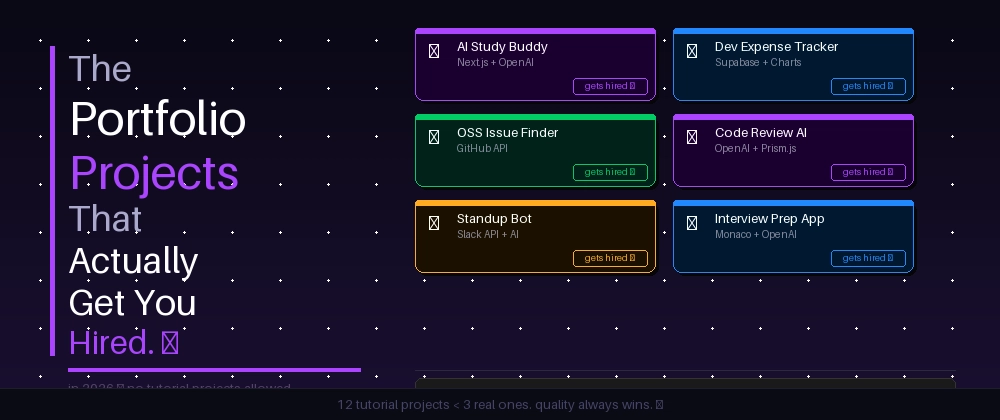
Strong portfolios solved a believable problem. Weak ones demonstrated a tutorial.
That sounds almost too simple, so let me be precise about what the difference looks like in practice.
A tutorial project has a shape you can recognise instantly. The features are exactly the features the tutorial covered. The styling is the tutorial's styling, sometimes with a colour changed. The edge cases are unhandled, because the tutorial didn't cover them. The README is the framework's default scaffold text, still telling you how to run the development server. Nothing in it was ever a decision.
A problem-driven project looks different in a way that's hard to fake. It has odd features that no tutorial would include, because they came from someone actually using the thing. It handles a weird case, and often there's a comment explaining why. The README mentions something that didn't work. There's usually a slightly ugly corner where the developer clearly hit a real constraint and worked around it.
That ugly corner is a signal, not a flaw. Real work has ugly corners. When I see one, I know a person made choices here.
I used to think the answer was to build something impressive and unusual — a distributed system, something with machine learning in it. What changed my mind was noticing that some of the most memorable portfolios I read were built around genuinely mundane problems. Someone tracked their own reading habits. Someone built a tool to manage their family's grocery list because their mother kept forgetting things. Neither is technically remarkable. Both were memorable, because both were clearly used.
The five projects below aren't magic. They're categories that keep working, and I'll try to explain why in each case rather than just listing features.
Portfolio Project #1 — The Personal Finance Tracker
The most reliably effective project I've seen from freshers, and probably the most underrated because it sounds boring.
The problem: people don't know where their money goes. Bank statements are unreadable. Existing apps either cost money or want bank credentials nobody wants to hand over.
A version of this that works well usually includes:
- Authentication with proper password hashing and session handling. Financial data creates a genuine reason for auth to exist, rather than auth bolted on because tutorials have auth.
- Transaction entry and categorisation, ideally with some rules engine so recurring merchants auto-categorise.
- Charts — spending by category, month over month trends, a budget versus actual view.
- CSV import and export. This is the feature that separates a real tool from a demo, because now it works with data the user already has.
- Responsive design, because people check spending on a phone.
- Deployment with a real database, not an in-memory store that resets.
- A README that explains the data model and why you designed it that way.
Why does this impress? Because CSV import forces you to confront messy reality. Real bank exports have inconsistent date formats, negative numbers written three different ways, and rows that aren't transactions at all. Handling that is unglamorous engineering, and being able to say "I had to normalise five date formats because different banks export differently" is the kind of sentence that makes an interviewer lean in.
It also demonstrates something quietly important: you thought about the user's existing situation instead of assuming they'd start fresh in your app.
Portfolio Project #2 — The Task Management System
I want to be careful here, because "task app" is also the single most common weak project. The difference between the two versions is enormous.
A to-do list has tasks and a checkbox. A task management system has people.
The version that works includes roles — an admin, a manager, a member — and those roles have actually different capabilities. It has assignment, so a task belongs to someone. It has an activity log, so you can see that Priya moved this to done on Tuesday. It has deadlines, and something happens when one passes. It has notifications, even if they're just in-app.
Suddenly you're not building a list. You're building a permissions model, and permissions models are where interesting bugs live. Can a member reassign someone else's task? Can a manager see tasks in a project they're not part of? What happens to assigned tasks when a user is removed from a team?
Those questions have no obvious right answer. You have to decide, and then you have to be able to defend the decision. That's the entire value of this project.
One caution, because I've seen it go wrong. Complexity only helps when it supports usability. I've reviewed task apps with eleven entity types, custom workflow engines and a permissions matrix nobody could explain, where the actual experience of adding a task took six clicks. That reads as someone who enjoys building systems more than they enjoy people using them, which is not the impression you want. Complexity should be visible in the code and invisible in the interface.
Portfolio Project #3 — The AI Resume Analyzer
This one has become common enough that it's worth doing carefully, but it still performs well, partly because reviewers find it relevant to their own work.
The core loop is simple: upload a resume, paste a job description, get feedback on the gap between them. Keyword coverage, missing skills, phrasing that reads as vague, sections that are too long.
What makes a strong version isn't the AI part — anyone can call a model API. It's everything around it.
Parsing. PDFs are genuinely awful to extract text from. Two-column layouts scramble. Tables become soup. Solving that properly, or even partially, is real work and worth writing about.
Matching logic. Naive keyword matching is easy and bad. Does your system understand that "Postgres" and "PostgreSQL" are the same thing? That "led a team" and "managed engineers" overlap? Handling synonyms and stemming shows you thought past the first implementation.
Privacy. This is the part almost nobody does, and it's the part that makes a reviewer notice you. A resume is personal data. Are you storing uploads? For how long? Do you say so? A short privacy section in the README, and a genuine decision to process in memory and discard, signals a level of thinking well above the average fresher project. I'd argue it matters more than any feature on the list. If you want a fuller sense of what actually helps a resume land, I wrote about what fixed mine after AI-written versions kept getting rejected.
Interestingly, this project also gives you something to talk about that isn't code — the limits of what the tool can honestly claim. Being able to say "it flags gaps, but I deliberately avoided giving it a score, because a number implies a precision I couldn't justify" is a genuinely senior-sounding sentence from a fresher.
Portfolio Project #4 — The Campus Event Platform
Domain-specific projects have an advantage that's hard to replicate: they're obviously authentic. Nobody builds a college event registration system unless they've been near a college event.
The shape: clubs create events, students browse and register, there's a check-in flow, and administrators can see what's happening.
The features that make it real:
- Capacity limits and waitlists. What happens when the 51st person registers for a 50-seat workshop? Now you have a queue, and a rule for when someone cancels.
- QR check-in. Generate a code on registration, scan at the door, mark attendance. Simple to describe, and it forces you into a second interface — a scanner view designed for someone standing at a door on a phone.
- An admin dashboard showing registrations against attendance, which is a number every organiser actually wants.
- Notifications — a reminder the evening before, a message when a waitlist spot opens.
The reason I rate this category highly is that it usually comes with a story. If you built it for your actual college fest and forty people used it, that's not a portfolio project anymore. That's a deployment with users, and you can talk about what broke on the day. Something always breaks on the day, and interviewers love that conversation far more than they love a clean feature list.
Portfolio Project #5 — The Expense Sharing App
Splitwise-inspired, and the most logic-heavy of the five. If you want one project that proves you can think, this is probably it.
On the surface: a group of people share expenses, the app tracks who owes what. Underneath, it's a small pile of genuinely tricky problems.
Unequal splits — one person had the starter, three shared the main. Percentage splits. Someone pays for a group they're not part of. Currency, if the trip crosses a border. And the settlement problem, which is the good one: given a web of debts between six people, what's the minimum set of payments that clears everything? That's a real algorithmic question with a satisfying answer, and it's the kind of thing you can whiteboard confidently in an interview because you've already lived it.
Then the edge cases, which is where most implementations quietly fall apart:
- Rounding. Split ₹100 three ways and you have a stray paisa. Who gets it? Ignore this and your balances drift out of sync over time.
- Someone leaves a group with outstanding balances.
- An expense is edited after partial settlement.
- An expense is deleted entirely.
Each of those has no single correct answer, which is exactly why it's valuable. Writing a paragraph in your README about how you chose to handle the rounding problem tells a reader more about your engineering instincts than a list of ten frameworks.
Logic-heavy projects also survive the "did you really build this" question well. You can discuss them in detail because the difficulty was in your head, not in the docs.
Portfolio Projects That Usually Don't Help Much
I want to phrase this carefully, because I don't think these projects are bad and I've built most of them myself.
They're not bad. They're invisible.
- The weather app that calls one API and displays the result
- The Netflix clone
- The Spotify clone
- The basic calculator
- The simple CRUD blog
- The random quote generator
- The currency converter
- The basic to-do app
Every one of these is a legitimate learning exercise. Building a Netflix clone teaches routing, layout, API integration and state management, all of which you need. As learning, they're fine. As evidence, they're close to worthless, because a reviewer has seen the exact same project so many times that it carries no information about you.
Think of it as signal versus noise. When ten thousand candidates have the same project, having it tells the reviewer nothing they didn't already assume.
The fix isn't necessarily to delete them. It's to either unpin them, or extend one until it stops being a clone. A weather app becomes interesting when it caches responses, handles the API being down gracefully, compares forecast accuracy across two providers over time, or does anything the tutorial didn't. At that point the boring premise actually works in your favour, because the contrast between the simple idea and the thoughtful implementation is itself memorable.
What Actually Makes a Project Memorable
Setting aside project category entirely, here's what separated the portfolios I remembered from the ones I forgot within a day.
Real users, even a few. "Eleven people in my hostel used this" beats any technical claim. It means the thing survived contact with humans.
Error handling. I've started deliberately breaking things when I review a demo — submitting an empty form, entering text in a number field, refreshing mid-flow. A project that fails gracefully immediately stands out, because most don't.
Edge cases with evidence. Not just handled, but visibly considered. A comment, a test, a note in the README.
Polish. Consistent spacing, a loading state, an empty state that says something useful instead of showing a blank box. Empty states are a small thing that signals genuine care.
Tests that could actually fail. A test suite of assertions that pass on any input is decoration. A few meaningful tests beat forty trivial ones.
Screenshots and a short demo video. Ninety seconds of screen recording removes every barrier to understanding your project. Very few candidates do this.
Sensible naming. A repository called project-final-v2 tells me something about how you'll name things in a shared codebase. It's a tiny signal, but it's free to get right.
Responsive design. A reviewer might open your demo on a phone. If it's broken there, that's the whole impression.
The README Difference
If you take one practical thing from this article, make it this section. A good README is a few hours of work and it changes the first impression of everything behind it.
Here's the README I see most often:
# expense-app

A web app to split expenses.

## Installation
npm install
npm start
Nothing here is wrong. But a reader learns almost nothing. What problem does it solve? Does it work right now? What does it look like? Was anything difficult? The reviewer has to clone the repo to find out, and they won't.
Now the version that changes the conversation:
# SplitSmart
Group expense tracking for shared trips and flatmates —
settles a web of debts in the fewest possible payments.
**Live demo:** splitsmart-demo.vercel.app
**Test login:** demo@example.com / demo1234

## Why I built this
Six of us went on a trip and settled up over three weeks of
confused messages. Existing apps handled equal splits fine
but broke down when one person covered part of a bill.
## Features
- Unequal, percentage and share-based splits
- Minimum-transaction settlement (reduces a 6-person debt
graph from 14 payments to 5)
- Handles a member leaving with outstanding balances
- CSV export of group history
## Tech and why
- **Postgres** — balances need transactional guarantees;
a partial write here means someone loses money
- **React + Vite** — small app, fast builds, no SSR need
- **Decimal arithmetic, not floats** — see notes below
## Decisions and trade-offs
Rounding: splitting 100 three ways leaves 0.01 unaccounted.
I assign the remainder to the payer rather than distributing
it, so group totals always reconcile exactly. Documented
in-app so it isn't a surprise.
## Known limitations
- Single currency per group
- No offline mode; requires a connection to record expenses
## Running locally
...Same project. Completely different candidate.
Notice what the second one does. It states the problem in one line. It gives a working demo with test credentials, which removes the friction of signing up. It shows a picture. It explains a technical choice with a reason. And it has a "known limitations" section, which is the part I'd point to as the single strongest signal in the whole document.
Admitting limitations reads as confidence, not weakness. Every real system has them. A developer who documents theirs is someone a team can trust to report a problem rather than hide it.
GitHub Habits That Quietly Impress Recruiters
These rarely get you hired on their own. But when an engineer is deciding between two similar candidates, they add up.
Commit history that tells a story. Fifty commits over six weeks, with messages describing what changed and why, reads like development. One commit called "final project" reads like a folder that was uploaded. Nobody will say this out loud in feedback, but it registers.
Meaningful commit messages. "Fix crash when CSV has empty trailing row" is useful. "update", "fix", "asdf" are not. You'll write commit messages every day of your career; showing you already do it well is a cheap win.
Branches for features. Even solo. It shows you understand the workflow you'll be dropped into on day one.
Issues you opened on yourself. This one surprised me the first time I saw it and I've rated it highly since. A student who filed issues for their own bugs, then closed them with a linked commit, is demonstrating a working method rather than describing one.
A tagged release. Takes two minutes. Almost nobody does it. It signals you think in terms of shipped versions.
Clear folder structure. A reviewer opening your repo should be able to guess where things live without exploring.
Portfolio Mistakes I See Again and Again
Grouped by how much damage they do.
Hardcoded credentials in the repository. The worst one. An API key or database password sitting in committed code is not read as carelessness — it's read as a security habit, and it will end a review immediately at some companies. Fix: environment variables, a .env.example file, and if you've already committed a secret, rotate it rather than just deleting the line. It's still in the history.
Broken demo links. Devastating and extremely common, usually because a free hosting tier expired months ago. Someone clicked your best work and got an error page. Fix: check every link in your portfolio on the first of each month. It takes four minutes.
Unfinished projects left visible. A half-built feature with a "coming soon" button says you don't finish things. Fix: hide it, or cut the scope until what remains is complete. A smaller finished project beats a larger abandoned one every time.
No README at all. The reviewer has to guess what your project is. They won't. Fix: an hour per project, using the structure above.
Copied designs. Using a template is fine. Using one without attribution, on a project you present as fully yours, is a trust problem if it's noticed. Fix: credit the template in the README. It costs nothing and reads as honest.
Thirty tiny repositories. A profile of practice exercises and abandoned starts makes the reviewer do the sorting. Fix: pin your best three. That's what pinned repos exist for and most students never set them.
Poor or missing screenshots. A blurry crop of your IDE isn't a screenshot of your project. Fix: clean browser window, real data rather than "test test test", saved to a docs/ folder.
Nothing deployed. Fix: deploy one thing. The free tiers are enough for a portfolio project, and doing it teaches you the local-versus-production gap.
Realistic Candidate Comparisons
Four composites, drawn from patterns I've seen rather than any specific person. Outcomes vary by company, so read these as tendencies, not rules.
Candidate A — the collection
Twelve repositories. A Netflix clone, a weather app, three tutorial to-do lists, a calculator, some course exercises. All complete, all working, none deployed. READMEs are the default framework scaffold.
What happens: a reviewer scans, recognises every project, learns nothing, moves on. The volume works against them — it reads as breadth without depth. Rejections with no feedback, which is the most demoralising kind.
What went wrong: nothing, in terms of effort. A genuinely diligent person spent months on this. The projects just don't differentiate, and quantity made that worse rather than better.
Candidate B — three polished projects
Three pinned repos: a finance tracker, an expense splitter, a campus event tool. All deployed, all with proper READMEs, screenshots and test credentials. Commit history spread over months.
What happens: steady interview calls. Not from everywhere, but consistently. In interviews they have material for forty-five minutes of conversation, because each project contains real decisions.
Why it works: the reviewer's job is made easy. Everything they need is in front of them within thirty seconds, and each project shows something different.
Candidate C — one outstanding niche project
One project. A tool for a specific community — say, a scheduling system for a local sports league — with real users, an active issue tracker and eighteen months of commits.
What happens: polarised. Some companies pass, wanting more breadth. Others are immediately interested, and those interviews go extremely well, because the depth is genuine and unfakeable.
Worth noting: higher variance, but the good outcomes are very good. Real users is the rarest signal in a fresher portfolio.
Candidate D — average code, excellent documentation
Three projects of unremarkable technical difficulty. But the READMEs are outstanding — problem statements, architecture diagrams, documented trade-offs, honest limitations sections. A short blog post about a bug that took a week.
What happens: more interviews than the code alone would justify. Some technical rounds are harder for them. But several interviewers specifically mention the documentation, and communication is a scarce enough skill that it carries real weight.
The lesson: presentation isn't a substitute for ability, but it's a genuine multiplier on it. Candidate D is doing something Candidate A could do in a weekend.
The gap between A and D is the one I find most instructive. A worked harder. D communicated better. Only one of those is visible in ninety seconds.
What Hiring Managers Often Care About More Than Fancy Tech
When I've asked people who conduct interviews what actually moves them, the answers are consistent and none of them are frameworks.
Trade-off awareness. Every decision costs something. A candidate who says "I used a document database because the schema was still changing, though it made the reporting queries harder later" is showing engineering judgement. A candidate who says "MongoDB is better" is showing they read a comparison article.
Problem-solving process. How do you approach something you don't know? Interviewers deliberately ask questions past your knowledge to see this. Saying "I'd start by checking whether it's the query or the network, because that splits the problem in half" is a better answer than a confident wrong one.
Maintainability. Would another developer understand this in six months? Clever code that only you can read is a liability on a team.
Consistency. Regular effort over months signals someone who finishes things. A frantic weekend before applications open signals the opposite.
Learning ability. Since specific tools keep changing, the durable question is how quickly you become competent at something new. Evidence: a project using something you'd never touched before, and a README explaining what you learned.
Ownership. Did you take responsibility for the whole thing — including the boring deployment and documentation parts — or only the fun parts?
I'd add the standard caveat, honestly: every company weighs these differently. A trading firm may care mostly about algorithmic depth. An early startup may care mostly about whether you ship. The most useful thing you can do is read actual job descriptions for the roles you want and look at the engineering blogs of companies you'd like to join. That tells you more about their priorities than any general advice, including mine.
If I Had to Build a Portfolio Again
Starting today, from nothing, here's exactly what I'd do — and why.
Three projects. No more. One data-heavy application with authentication and charts. One logic-heavy application where the difficulty is in the thinking. One thing I actually use myself, however small. Three is enough to show range and few enough that each one can be finished properly.
Deploy all three immediately, before they're good. Deploying early means you're never facing it as a scary final step, and it means the demo link is always live. Add test credentials so nobody has to sign up.
Write the README as I build, not after. Writing it at the end means writing it under fatigue, which is why so many are one line. Writing it as I go means the decisions are recorded while I still remember why I made them.
A simple portfolio site. One page. Who I am, three projects with a sentence each, links to GitHub and a way to contact me. I would not build an elaborate animated site — it's time spent on the wrapper rather than the contents, and reviewers spend seconds there.
A small blog section. Three or four posts about problems I hit and how I worked through them. This is the highest-leverage thing on the list after the READMEs, because writing is scarce and it demonstrates thinking directly. It also gives an interviewer something to open with.
GitHub set up deliberately. Profile README, three pinned repos, real commit history, issues used on my own work.
That's it. No certificates, no fifteen-language skill bars, no percentage ratings of my own expertise. Those add nothing and occasionally invite scepticism.
An Eight-Week Action Plan for Freshers
One flagship project, built properly. Adjust the pace to your situation — this assumes serious part-time effort alongside study.
Week 1 — Choose the problem
- Write down five annoyances from your own life. Not app ideas — annoyances.
- Pick the one you'd personally use weekly.
- Write a one-paragraph problem statement. If you can't, the problem isn't clear enough yet.
- Milestone: a paragraph you could read aloud to someone non-technical and have them understand.
Week 2 — Design
- Sketch the screens on paper. Four or five, no more.
- Design your data model. This is the decision that's most expensive to change later.
- Choose your stack, and write one sentence per choice explaining why.
- Milestone: a schema and a set of sketches. Create the repo with an initial README stating the problem.
Week 3 — Core functionality
- Build the single most important flow, end to end, ugly.
- No styling yet. Resist this.
- Milestone: the main thing your app exists to do, working once.
Week 4 — Authentication and data
- Add real auth with hashed passwords and proper session handling.
- Connect a persistent database. Nothing that resets on restart.
- Make sure users can only see their own data. Test this deliberately.
- Milestone: two separate accounts with correctly separated data.
Week 5 — Edge cases and testing
- Try to break it. Empty inputs, huge inputs, wrong types, unexpected navigation.
- Add error handling with messages a human can act on.
- Write tests for the logic that matters most, then break the code to check the tests notice.
- Milestone: a list of edge cases you handled, saved for the README.
Week 6 — Deployment
- Deploy to a free tier with a production database.
- Move every secret to environment variables.
- Test the live version on a phone, on someone else's network.
- Milestone: a URL you can send to anyone. Send it to three people and watch them use it without helping.
Week 7 — Documentation
- Write the full README: problem, demo link, test credentials, screenshots, features, tech choices with reasons, trade-offs, known limitations, local setup.
- Take clean screenshots with realistic data.
- Record a ninety-second walkthrough video.
- Milestone: someone who has never seen the project understands it from the README alone.
Week 8 — Portfolio polish
- Pin your best three repos, unpin practice work.
- Build the one-page portfolio site.
- Write one blog post about the hardest problem in the project.
- Practise explaining the project out loud in two minutes.
- Milestone: a link you'd be comfortable putting at the top of your CV.
Eight weeks, one project, done properly. Then repeat with something different. Two of these is already a stronger portfolio than most graduating cohorts produce.
Frequently Asked Questions
How many portfolio projects do I actually need?
Three is usually enough, and three is often better than eight. A reviewer spends a limited amount of attention on any one candidate, so a long list forces them to sample rather than read. Two or three projects that are finished, deployed, documented and different from each other will be read properly. The number matters far less than whether the reviewer can open one, understand what problem it solves within thirty seconds, and see that a real person made real decisions inside it.
Are cloned projects like a Netflix clone or a weather app bad for a portfolio?
They are not bad, they are just invisible. Clones are excellent for learning and they prove you can follow a build to completion. The problem is that a reviewer has seen hundreds of the same one, so it carries almost no information about you specifically. If you already have one, the fix is usually to extend it rather than delete it. Add a feature the tutorial never covered, handle a failure case, write about the trade-off you made, and it stops being a clone and starts being a project.
What do recruiters look at first in a GitHub profile?
Almost always the pinned repositories, then the README of whichever one has the most interesting name, then the live demo link if there is one. The first ninety seconds are spent deciding whether to spend a further ten minutes. Code is usually read later, and often only by an engineer rather than a recruiter. That is why the README and a working demo carry so much weight relative to the effort they cost, and why a broken demo link does more damage than slightly messy code.
Does the technology stack I use matter for portfolio projects?
Less than most students assume, though it is not irrelevant. Keyword filters and some recruiters do scan for named technologies, so matching the general ecosystem of the roles you want is sensible. But once a human engineer is reading, they are looking at how you structured the project and whether you can explain your choices. Someone who can say why they picked a relational database over a document store is more convincing than someone with four trendy tools and no reasoning behind any of them.
Should every portfolio project be deployed live?
Every project you want taken seriously, yes. Deployment does two things at once. It removes the friction of a reviewer having to clone and run your code, which many will simply not do. It also proves you handled environment variables, build steps, a production database and the gap between working locally and working publicly. That gap is where a lot of real engineering lives. A project that has never left localhost is missing a chunk of the story it claims to tell.
How important is the README compared to the code itself?
For getting the interview, the README often matters more, because it is read first and by more people. For passing the interview, the code matters more. Treat the README as the thing that earns your code a reader. A good one states the problem, shows a screenshot, links a demo, explains how to run it locally, and includes a short section on decisions and known limitations. That last section is the one almost nobody writes, and it is the one that signals engineering maturity.
What are the most common portfolio mistakes developers make?
Broken demo links, missing or one-line READMEs, unfinished projects with a half-built feature still visible, credentials committed into the repository, and a profile full of tiny abandoned repositories with no clear signal about what the person actually does. Most of these are cheap to fix and expensive to leave. Committed secrets are the worst of them, because they read as a security habit rather than a mistake, and that impression is hard to undo in a short review.
Do I need original project ideas to stand out?
No. Original execution beats original ideas almost every time. An expense splitter is not a novel concept, but a well-built one with correct settlement logic, sensible handling of a member leaving a group mid-cycle and tests that cover rounding errors is genuinely uncommon. Reviewers are not judging inventiveness. They are judging whether you can take a problem to a finished, defensible state, which is exactly what the job asks of you.
How long should I spend on one portfolio project?
Roughly six to eight weeks part-time for a flagship project is a reasonable target. Shorter than that and the polish layer, the tests, the deployment and the documentation tend to get skipped, which is precisely the layer that differentiates it. Much longer and you risk endlessly adding features to something that was already convincing. A useful stopping rule: when you could hand it to a stranger with no explanation and they could use it, you are done building and ready to document.
Do portfolio projects matter if I already have internship experience?
They matter less, but they still help, and for a different reason. Internship work is usually invisible to a reviewer because it sits behind a private repository and an NDA. A public project is the only artefact where someone can see your actual decisions rather than your description of them. With experience on your CV, one strong project is normally sufficient, and it is worth choosing one that shows a skill your internship did not cover.
Should I use AI to build my portfolio projects?
Using it is fine and increasingly expected — what matters is whether you can defend every line. The failure mode is shipping something you could not explain in an interview, which is a worse position than having built something simpler yourself. Build first, then use AI as a reviewer of your own work. If you are preparing for the technical rounds themselves, I would be more cautious still, for reasons I set out in this piece on AI and interview preparation.
Final Thoughts
I want to end with something that took me a while to accept, because it runs against how most people think about this.
Your portfolio is not trying to impress everyone. It can't, and attempting it produces a diluted profile that appeals to nobody in particular. It's trying to make one reviewer, at one company, curious enough to book half an hour with you.
That's a much smaller target than it feels like at two in the morning when you're refreshing an empty inbox. It also means a rejection often isn't a judgement on your ability — it's frequently a mismatch, a timing problem, or a reviewer who spent ninety seconds and didn't find what they were scanning for. Some of that is outside your control. The ninety seconds is not.
And there's a reframe I'd offer about what a portfolio is even for. Nobody looking at a fresher's GitHub expects to find a senior engineer. They know you haven't worked on a large system. They know your architecture will be naive in places.
What they're looking for is a bit different, and much more achievable.
A portfolio isn't proof that you're already good. It's evidence that you're the kind of person who becomes good.
Someone who finishes things. Who documents decisions. Who thinks about the person using the software. Who admits what didn't work. Those habits are visible in a small project, and they're exactly what a team is betting on when they hire someone with no experience.
So build three things you'd genuinely use. Finish them. Deploy them. Write about them honestly, including the parts that are still broken.
That's enough. It's been enough for a lot of people I've watched go from silence to offers, and none of them did it by being the most talented person in their year. They just made it easy for someone to see what they could do.