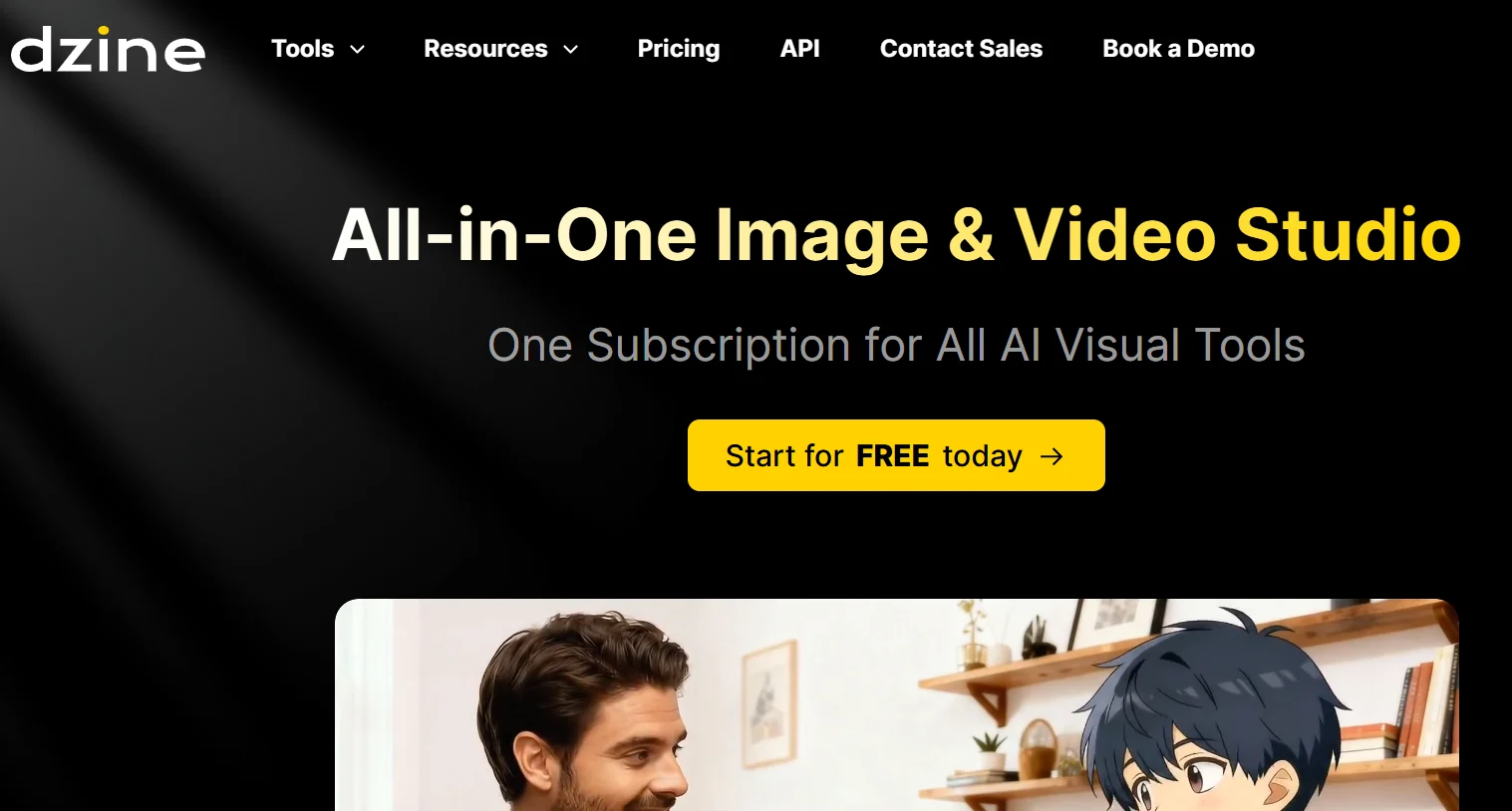
Dzine Review: The All-in-One AI Image & Video Studio That Wants to Replace Your Entire Visual Tool Stack

Here's something most creators won't admit out loud: managing your AI tool stack has quietly become its own full-time job. You've got one subscription for image generation, another for video, a third for background removal, and at least two more for design assets and editing. Each one bills you separately. Each one has a different interface to wrestle with. And the moment you need to move a visual asset from one step to the next — say, from generation to editing to video — you're exporting, importing, and hoping nothing breaks in translation. It's fragmented, expensive, and honestly unsustainable for anyone creating visual content at any real scale. Dzine was built to fix exactly that problem.

The pitch is refreshingly direct: one subscription, one platform, every AI visual tool you actually need. Image generation, video creation, intelligent editing, design assets, creative automation — all in one place, connected by a workflow that actually makes sense. In a market stuffed with point solutions, that kind of consolidation sounds great on paper. The real question is whether it holds up when you put it side-by-side against the specialized tools it's trying to replace.

This review digs into both of those things. What Dzine actually is, how it works day-to-day, where it genuinely shines, where it falls a bit short, and who gets the most out of it.

⚡ Quick Summary: Is Dzine Worth It?

  • What it is: An all-in-one AI visual creation platform covering image generation, video creation, editing, and design.
  • Best for: Content creators, social media managers, digital marketers, freelancers, agencies, and e-commerce businesses.
  • Key advantage: Eliminates the need for multiple separate AI creative tool subscriptions inside a single unified workspace.
  • Worth considering if: You currently juggle multiple AI visual tools and want to consolidate both your workflow and your costs.
  • Verify pricing: Check the official Dzine website for current subscription plans — pricing evolves frequently in this space.

What Is Dzine?

Dzine is an AI-powered creative studio built around a premise that's becoming harder to argue with: the future of creative tooling isn't more specialized apps — it's deeper integration. The platform pulls together AI image generation, video creation, intelligent image editing, and design asset production into a single environment where each tool actually knows about and connects to the others.

The target audience is pretty wide, honestly. Dzine works for the freelance graphic designer who generates product visuals and then needs to remove backgrounds and drop images into branded templates. It's for the social media manager who needs to knock out a whole week's worth of content — static images, short clips, branded graphics — without bouncing between four different platforms. It's for the startup founder who doesn't have a design team but still needs to look polished in front of clients and investors. And it's for the marketing agency juggling multiple clients at once, each with their own visual identity to maintain.

The core goal is getting rid of what you might call the "tool-switching tax" — all that accumulated time, mental load, and money that comes with managing a scattered set of AI creative tools. By keeping generation, editing, and production all in one workspace, Dzine lets you go from prompt to polished output without ever leaving the platform. That's the idea, anyway. Let's see how it plays out in practice.

Why Modern Creators Need an All-in-One AI Studio

The average content creator in 2026 is dealing with a level of demand that genuinely didn't exist a decade ago. It's not just that visual content is important — it's basically non-stop. Instagram, TikTok, YouTube, LinkedIn, product pages, email campaigns, ad creatives, pitch decks: every channel has its own format requirements, its own aesthetic expectations, and its own publishing schedule. Keeping up with all of that while actually running your business? That's a real productivity problem.

And the first instinct most people have is totally understandable: find the best tool for each job. Best AI image generator in one tab. Best AI video tool in another. Best background remover bookmarked for later. This makes complete sense when you're comparing individual features — but it creates a hidden cost structure that compounds fast. Sound familiar? That's subscription fatigue, and it's a bigger deal than most people admit until they're staring at their credit card statement.

Paying $20 here, $30 there, another $25 somewhere else — it adds up way faster than you'd expect. And that's before you factor in the mental load of maintaining logins across five platforms, trying to remember which tool does which thing, and dealing with the friction every single time a workflow requires jumping from one tool into another. For solopreneurs, freelancers, and small teams running lean budgets, this isn't just annoying — it actively hurts both productivity and profitability.

The video-first shift in content made all of this worse. Static images alone don't cut it for most marketing anymore. Short-form video dominates every platform that matters. And creating video content used to require specialized skills, expensive software, and a lot of time. AI changed the economics of video production — but only if your tools actually cover the whole workflow from concept to final output. A tool that handles images but not video just means another subscription to tack on.

Think about it this way: A freelance content creator managing three clients might currently be paying for an AI image generator, a separate AI video tool, a background removal service, and a design platform. That's potentially $60–$100+ per month across four tools, four logins, and four completely separate workflows. A unified platform like Dzine is built to collapse all of that into one subscription — saving real money and cutting out all the mental overhead of tool juggling.

Key Features of Dzine

Marketing summaries are one thing — what actually matters is whether the platform's capabilities hold up in practice. Here's an honest look at what Dzine includes and where each feature sits in a real workflow.

AI Image Generation

Image generation is the core of Dzine's creative stack, and honestly it's where the platform feels most solid. The text-to-image engine lets you describe what you want and get high-quality visual results in seconds. You're not picking from templates — you're working with a generative model that reads your creative direction and produces original visuals built around your specific brief.

The style range is genuinely wide. Photorealistic product photography, abstract illustrations, brand-consistent marketing graphics, conceptual artwork, social media visuals — all accessible through natural language prompts. And the interface is built for iteration, which I actually appreciate. You can adjust your prompt, tweak the style, nudge the composition, and regenerate without starting over from zero every time.

For e-commerce businesses, this is immediately useful. Generating lifestyle shots for product listings, making variation images for A/B testing ad creatives, producing banners for email campaigns — all of this becomes fast and repeatable instead of needing a photographer or outside design resource every time something changes.

AI Video Creation

Video creation is honestly where Dzine's all-in-one pitch gets most compelling. AI video generation requires a completely different toolchain than image generation — which is exactly why it's historically forced creators to maintain separate subscriptions and learn totally different interfaces just to add video to their workflow.

Dzine lets you produce short-form video content, marketing clips, product showcases, and social media videos through a mix of text prompts and image-to-video workflows. You can start from a static image you already generated inside the platform and animate it into a video. Or you can build video content from scratch using a descriptive prompt. Either way, you don't have to leave the platform.

This is a big deal for YouTube creators, social media managers, and digital marketers who need a steady stream of video content but don't have the time or budget for traditional production. Knocking out a short promotional clip, a product demo, or an animated social story no longer needs specialized editing software, a filming setup, or outside contractors — just a clear idea and a few minutes.

AI Image Editing

Generative tools are only half the story. Editing capability — actually being able to take a generated image and refine it — is where a lot of AI platforms fall flat, forcing you to jump into a separate tool for anything beyond basic tweaks. That's where Dzine does something worth noting.

Background removal is handled directly inside the platform — no more trips to a dedicated removal tool for what is, let's be honest, one of the most common tasks in any designer's day. Object replacement lets you swap elements in an existing image without regenerating the whole thing from scratch. Enhancement tools handle exposure, sharpness, and format optimization. And retouching features let you clean up portraits, polish product images, and remove unwanted elements before anything goes to publication.

Having all of this in the same workspace where you generated the image eliminates the export-import friction that quietly eats hours across a week of content production.

AI Design Tools

Beyond raw image and video generation, Dzine includes tools for producing finished creative assets — the kind of thing you actually publish rather than just save to your desktop. This covers branded design elements, marketing collateral, social media posts formatted for specific platforms, promotional graphics, and visual assets for presentations.

For businesses that need to maintain a consistent brand identity, this is where the workflow advantages start stacking up. Generating a batch of on-brand social media graphics, producing a consistent set of ad creatives, building a visual template system for a campaign — these tasks traditionally needed a designer or a lot of time in manual design tools. Dzine handles the repetitive execution, leaving creative direction as the main human input. That's a real shift for small teams.

AI-Powered Automation

Batch processing and automation are where Dzine's value starts to scale in a way that's hard to capture in individual-feature descriptions. For solo creators, generating one great image at a time is useful. But for agencies and businesses producing content at volume, the ability to generate and process multiple assets simultaneously — with consistent parameters, consistent brand alignment, without manual repetition at every step — is what makes or breaks whether a platform works at real scale.

Dzine's automation lets you set up repeatable workflows, apply processing steps across batches of images, and produce multiple variations of a single concept without duplicating all that manual effort. A social media team that needs fifty variations of a campaign creative across different formats can produce all of them as a single job instead of fifty individual operations. That's a meaningful productivity multiplier.

Unified Workspace

This might sound like the least exciting feature on the list. But the unified workspace is, in my experience, where the most practical day-to-day value actually comes from. Assets you generate feed directly into editing tools. Edited images move directly into video creation. Design outputs are immediately available for further iteration. Nothing needs to be downloaded, re-uploaded, or manually transferred between systems.

For teams, the workspace doubles as a centralized asset library. Every visual produced through the platform is stored, organized, and accessible to team members. This cuts out the version control chaos that comes with managing shared creative assets across email threads, Dropbox folders, and Slack uploads — and it makes onboarding new team members to active projects way faster, because the full production history is right there in one organized place.

How Dzine Works: Step-by-Step Workflow

The actual experience of using Dzine follows a logical sequence that maps pretty closely to how real creative projects unfold — brief to output, with iteration built in at each step. Here's how it flows.

Step 1 — Create Your Account: You start on the Dzine platform, which walks you through a quick onboarding — setting up a brand profile, defining what you mainly need to produce, and configuring your workspace before you dive into your first project. It's not overwhelming.

Step 2 — Choose Your Project Type: Pick the creation mode that fits what you're making — image generation, video creation, or design — then define your project parameters. Platform, aspect ratio, style direction, brand constraints — all of that gets set here so you're not making it up as you go.

Step 3 — Generate Your Visuals: Write your text prompt describing what you want. The AI processes it and returns initial options. From there you can refine the prompt, request variations, adjust style parameters, and keep iterating until you land on something that actually matches your vision. This back-and-forth is where the tool earns its keep.

Step 4 — Edit and Refine: Got your generated visual? Switch to the editing workspace and clean it up. Remove the background, swap objects, enhance the quality, adjust the composition, do any retouching you need — all on the same asset, inside the same platform. No exporting to another app.

Step 5 — Create Videos: If your workflow calls for video, take your refined visual into Dzine's video creation tools. Animate the image, add motion, generate a short-form clip from your assets, or build a video sequence from scratch. It's all connected to what you've already made.

Step 6 — Export Your Assets: When you're done, export in whatever format you need. Standard output formats for web, social media, and print are all available, with resolution and file format selection at the export stage.

Step 7 — Publish and Iterate: Push your finished content to your channels. And because everything lives in Dzine's workspace, coming back to iterate later — updating a campaign creative, making seasonal variations, regenerating in a new style — starts from your existing history, not from scratch. That part is genuinely useful.

Real-World Use Cases

The practical value of an all-in-one platform becomes obvious when you look at specific users with specific needs — and how different their days look when they're not bouncing between five tools.

Content Creators

The Solo Creator Producing Daily Content

A lifestyle blogger creating content for Instagram, Pinterest, and a newsletter has a weekly visual workload that spans static posts, Stories, email header graphics, and the occasional short video clip. Previously, that workflow meant coordinating across three or four different tools — and a lot of wasted time on transfers. With Dzine, you can cover all of those formats in one session: generate the base image, adapt it for each platform, remove backgrounds for product shots, create a short animated version for Stories — and never leave the workspace. Those time savings stack up fast over a full year of publishing weeks.

YouTubers

The YouTuber Managing Thumbnails and Shorts Production

Any YouTube creator with a growing channel knows the thumbnail grind. High-quality thumbnails are non-negotiable, and now you also need YouTube Shorts just to stay competitive in the algorithm. Thumbnail creation — which typically mixes image editing, text overlays, and brand-consistent design — is exactly what Dzine's unified workflow handles well. And the same creator can extend that same workflow into Shorts production, without needing a separate video editing app on top of everything else.

Digital Marketers

The Performance Marketer Running Continuous Creative Tests

If you're running paid social campaigns, you already know the creative testing treadmill. The same core concept — a product, an offer, a message — needs to live in multiple visual forms across different audience segments, platforms, and placements. Dzine's batch generation and variation features let you produce all those variations efficiently, test across formats, and iterate on winners without constantly bottlenecking on design resources. That's a real competitive edge when you're trying to move fast.

Startup Founders

The Founder Building a Brand on a Tight Budget

Early-stage founders face a real tension: you need to look credible and polished to attract customers and investors, but you don't have the budget for a design team or professional production. Dzine levels that playing field in a meaningful way. Pitch deck visuals, product screenshots with professional-looking backgrounds, website hero images, social proof graphics — you can produce all of this looking genuinely polished, without agency fees or the steep learning curve of professional design software.

Ecommerce Businesses

The E-Commerce Operator Scaling Product Imagery

Product photography is one of the most consistent cost drains in e-commerce. For stores with large catalogs or frequent inventory changes, keeping up with fresh, high-quality imagery through traditional photography is both expensive and slow. AI-generated product imagery — lifestyle settings, clean backgrounds, seasonal styling — covers a real chunk of that need at a fraction of the cost and time. And Dzine's combination of image generation with integrated background removal makes that workflow practical without needing separate tools for each step.

Agencies

The Agency Managing Multiple Client Visual Identities

A mid-size agency managing visual production for several clients at once faces a coordination problem that a fragmented tool stack makes way worse. Different clients, different brand standards, different production volumes — but you've got one team covering all of it. Dzine's unified workspace, with centralized asset management and batch processing, lets agency teams maintain separate project environments for each client while working through a single platform. The management overhead reduction alone is worth taking seriously.

Freelancers

The Freelance Designer Expanding Service Offerings

A freelance graphic designer who's traditionally been doing static work can use Dzine's video creation capabilities to expand into motion graphics and short-form video — without having to learn a full video editing suite from scratch. The combination of solid image generation, integrated editing, and accessible video creation lets a single designer offer a broader range of deliverables. That translates directly into higher project value and a more competitive pitch to new and existing clients.

Benefits of Using Dzine

The advantages of Dzine aren't really about any single feature. They're about what happens when an integrated platform changes how you think about and pace your visual content production over time.

  • Subscription consolidation: One payment replaces potentially four or five separate subscriptions. That's real money saved, and it's not a small amount at current AI tool pricing.
  • Faster production cycles: Going from generation to editing to video without leaving the platform cuts out friction that genuinely adds up to hours across a busy production week.
  • Less mental overhead: Learning and maintaining one platform is significantly less draining than managing five different tools with different interfaces, different UX patterns, and separate logins. That cognitive load is real, even if it's hard to put a number on it.
  • Consistent visual quality: Working inside a single generative environment makes it easier to keep visuals consistent across a project or brand — because style parameters carry forward rather than being reset every time you switch tools.
  • Scalable output: Batch processing and automation let you scale content volume without a proportional increase in time or manual effort. That's the difference between Dzine being useful for small jobs and useful for serious production.
  • Lower barrier for non-designers: The AI-assisted interface makes professional-quality visual production accessible to people who aren't trained designers but still need polished output. That's a genuinely big deal for founders and solo operators.
  • Centralized asset management: Everything you generate and edit lives in one place — searchable and accessible to team members with the right permissions. No more digging through Dropbox folders.
  • Faster iteration: The ability to generate variations quickly, edit in-place, and move between creation modes accelerates the whole creative loop in a way that matters when deadlines are real.
  • Staying competitive: Producing static, animated, and video content from one platform keeps individual creators and small teams in the game with larger organizations that have dedicated design resources.
  • No more tool-switching tax: Every context switch between platforms carries a real cognitive cost — re-orienting to a different interface, finding where your files are, remembering what you were working on. Cutting those transitions out adds up to genuine productivity gains over time.

Dzine vs Traditional Creative Workflows

To get a real sense of how meaningful Dzine's approach is, it helps to compare it directly against how visual content actually used to get produced — before AI platforms changed the economics of creative work entirely.

Aspect Traditional Creative Workflow Dzine
Image creation Photographer or stock image library + manual editing AI generation from text prompt in seconds
Background removal Manual selection in Photoshop or separate dedicated tool AI-powered one-click background removal integrated
Video production Camera, editing software, and specialized video tools required AI video generation from prompts or existing images
Design asset creation Designer using professional software (hours per asset) AI-generated branded assets in minutes
Content variation Manual recreation of each variation individually Batch generation of multiple variations automatically
Tool management Multiple specialized tools with separate logins and billing Single platform, one subscription
Learning curve Professional software with steep learning requirements Natural language interface with guided workflows
Asset storage Scattered across local drives, cloud folders, and email threads Centralized workspace with organized asset library
Production speed Hours to days for polished visual assets Minutes for professional-quality output
Budget requirement Professional software licenses, stock media, and design talent Single subscription cost covering the full workflow
Accessibility Requires design skills or a hired designer for quality output Accessible to non-designers through AI assistance

Dzine vs Other AI Visual Platforms

Dzine doesn't exist in a vacuum — there are some well-established AI visual platforms it's competing with directly. Here's an honest look at how they actually stack up for different use cases.

Platform Image Generation Video Generation Image Editing Ease of Use Pricing Model All-in-One
Dzine Strong, generative Yes, integrated Yes, integrated High Unified subscription Yes
Canva AI Moderate (template-focused) Limited Good Very High Freemium + Pro Partial
Adobe Express Moderate (Firefly-powered) Limited Strong High Adobe subscription Partial
Midjourney Exceptional No Limited Moderate Subscription tiers No
Runway Good Exceptional Moderate Moderate Credit-based tiers No
Leonardo AI Very Strong Limited Good Moderate Free + subscription Partial

The pattern here is pretty clear. Specialized tools like Midjourney and Runway genuinely outperform Dzine in their specific lanes — Midjourney for pure image quality, Runway for video production depth. To be fair, that's not a knock on Dzine — it's just what specialization means. But using both means two separate subscriptions, two different interfaces, and no native connection between them. Dzine's real strength is breadth of integration rather than maximum depth in any single area. That makes it the right call for most creators who need a complete workflow — and a less obvious choice for professionals whose competitive edge depends on the absolute ceiling of output in one specific medium.

Pros and Cons

✓ Pros

  • True all-in-one AI visual creation platform
  • Eliminates the need for multiple separate subscriptions
  • Image generation, video, editing, and design in one workspace
  • Accessible to non-designers through natural language prompts
  • Centralized asset management for individuals and teams
  • Batch processing supports high-volume content production
  • Reduces tool-switching friction across the full workflow
  • Strong for social media, e-commerce, and marketing use cases
  • Faster iteration from prompt to polished output
  • Scalable from solopreneurs to agency-size teams
  • Visual style consistency easier to maintain in one environment
  • Background removal and editing integrated without extra tools
  • Lower total cost vs. maintaining multiple separate AI subscriptions
  • Beginner-friendly without sacrificing professional output quality

✗ Cons

  • Specialists may find individual tools less deep than dedicated alternatives
  • Midjourney-level image quality may require Midjourney specifically
  • Runway-level video production depth may require Runway
  • Pricing should be verified — costs evolve in this market
  • Accessing the full feature set has a learning curve
  • All functions depend on internet connectivity
  • AI output quality varies with prompt complexity and specificity

Who Should Use Dzine?

Dzine isn't the right tool for every visual creator — and being upfront about that is more useful than pretending it's for everyone. Here's an honest breakdown of who actually benefits most.

Content creators and bloggers who need to consistently produce visual content across multiple formats will find Dzine's unified workflow removes a lot of friction from their weekly production cycle. Probably the most obvious fit.

Entrepreneurs and startup founders who need to look professional without a dedicated design team get real leverage from Dzine's accessible AI generation and design capabilities — at a fraction of what traditional design resources cost.

Marketing agencies managing visual content production for multiple clients will appreciate the centralized workspace, batch processing, and the ability to maintain separate project environments within a single platform. Keeping clients separated without keeping tools separate is genuinely useful at agency scale.

Social media managers responsible for consistent output across multiple platforms and formats will find the combination of generation, editing, and video creation in one place cuts their weekly production time down significantly.

E-commerce businesses with ongoing product imagery needs can use Dzine to supplement or replace expensive product photography with AI-generated alternatives — and actually do it at scale without spinning up separate tools for each step.

Freelance designers can use Dzine to expand into video and animated content without investing in an entirely new specialized tool stack. More service offerings, same person, no extra subscriptions.

Educators producing course materials, presentation graphics, and visual explainers get the benefit of rapid image and design generation without needing any real design expertise. That's a genuinely underrated use case.

Who should probably look elsewhere: Professional videographers who need industry-grade video production depth, fine art digital artists whose whole competitive advantage depends on maximum generative image quality at the Midjourney level, and teams already deeply embedded in the Adobe Creative Cloud ecosystem where the switching costs would outweigh any consolidation benefit.

Tips to Get Better Results with Dzine

Getting the most out of any AI creative platform takes a bit of intentionality — both in how you write your prompts and how you organize your workflow. Here are some practical things that actually make a difference.

  • Be specific in your prompts: "A professional lifestyle product shot of a water bottle on a wooden table with warm natural light, high resolution, clean composition" gets you dramatically better results than just "a product photo." The more context you give, the more the AI has to work with. This sounds obvious, but it's worth actually internalizing.
  • Save your best prompts: When something produces output you're genuinely happy with, write it down. Reusing and iterating on proven prompts is way faster than rebuilding from scratch every time you have a similar project.
  • Set brand style parameters early: If you're producing branded content, define your visual parameters upfront — color palette, lighting style, background preference, how close or far the subject should be — and apply them consistently. Don't reinvent the wheel every session.
  • Edit right after you generate: Rather than exporting and editing somewhere else, make it a habit to refine generated assets inside Dzine's editing suite before moving on. Keeps everything in one place and preserves your full production history.
  • Batch similar tasks together: Do all your image generation for a campaign in one session, then batch the editing, then handle the video creation. Bouncing between creation modes repeatedly for each individual asset is way less efficient than finishing one mode for all assets before moving to the next.
  • Organize your asset library from the start: Create named project folders immediately, before you have a hundred images floating around with no context. Searching through a disorganized library of AI-generated assets gets painful fast — and it's completely avoidable with minimal up-front organization.
  • Test video prompts short first: When you're creating video content, start with shorter clip durations to iterate quickly on style and motion direction. Don't commit processing time to longer output until you've confirmed the direction is right.
  • Use platform format presets for social: If Dzine has format presets for Instagram, YouTube, TikTok, and other platforms, use them at the generation stage. Getting dimensions right from the start is always easier than resizing after the fact.
  • Repurpose assets across formats: A strong image you generated for an Instagram post can be adapted into a YouTube thumbnail, a Story animation, an email header, and a website banner — all within the same Dzine workflow. Don't leave value on the table from a single creative brief.

Pricing and Value Analysis

Pricing in the AI creative tools market is honestly one of the most volatile things to track right now. Platforms are constantly experimenting with subscription structures, usage-based models, and tiered access systems. Things change fast. So rather than quote specific Dzine pricing figures that might be outdated by the time you read this, here's what's actually worth thinking about.

The value case for a unified platform like Dzine is strongest when you map it against what you're already spending across separate tools. If you're paying for an AI image generator, a separate AI video tool, a background removal service, and a design platform — you're probably spending more in total than a single Dzine subscription would cost. And that's before you factor in the time cost of managing four different tools and workflows.

The ROI calculation also looks different depending on who you are. For an agency billing clients for visual content production, time savings from a unified workflow translate directly into faster delivery — better client satisfaction — or the capacity to take on more projects, which means revenue. For a solopreneur, the subscription cost consolidation alone might justify the switch, even before you get into workflow improvements.

For the most accurate and current pricing, go to Dzine's official website directly. And look for free trial availability — most platforms in this category offer some kind of trial period that lets you actually evaluate whether the workflow fits before you commit to paying for it.

The Future of AI-Powered Visual Creation

The AI visual tools landscape in 2026 is at a genuinely interesting inflection point. The first wave of AI creative tools came in as specialized point solutions — one thing done really well, targeting one specific step in the creative process. That wave produced impressive individual capabilities, but a pretty fragmented experience for anyone trying to build a complete visual production workflow from start to finish.

The wave we're entering now is about integration. The competitive advantage is shifting away from "best-in-class single feature" toward "best-in-class connected workflow." Platforms that can offer a seamless experience from prompt to polished output — image, video, and design all covered in one environment — are increasingly well-positioned as the primary interface creators use to interact with AI creative tools at all.

A few structural trends are pushing this shift at the same time. The creator economy keeps growing, and solo creators and small teams are producing content at volumes that were only achievable by large organizations with dedicated design departments just a few years ago. The tools enabling that scale — accessible, automated, and integrated — will keep pulling in users and investment.

The video-first nature of the internet isn't reversing either. If anything, it's accelerating. Short-form video consumption on mobile keeps climbing, and the pressure on creators to produce video alongside static imagery shows no sign of letting up. Platforms that handle both from a single workspace have a structural advantage over those that require separate tools for each medium.

AI personalization is probably the next real frontier. The ability to generate visuals that are not just stylistically consistent but actually tailored to the behaviors of specific audience segments — at scale, automatically — is where the next wave of competitive differentiation in creative AI will emerge. Platforms that have already established themselves as users' primary visual workspace will be best positioned to introduce that capability in a way that feels natural rather than disruptive.

Dzine's all-in-one positioning puts it right in line with these trends. Whether it can maintain real depth across all of its capabilities as the market matures — while specialized tools keep pushing the ceiling in individual areas — is the question worth watching over the next eighteen months.

Frequently Asked Questions

What is Dzine?

Dzine is an all-in-one AI visual creation platform that brings together image generation, video creation, image editing, design tools, and creative automation under one subscription. It's built for creators, marketers, agencies, freelancers, and businesses who need to produce high-quality visual content without managing a pile of separate AI tool subscriptions.

Can Dzine create videos?

Yes. Dzine includes AI video creation capabilities — you can generate short-form videos, marketing content, and visual storytelling pieces through text prompts and image-to-video workflows. It's built specifically to support the demand for video-first content across social media and digital marketing channels, so you don't need a separate video tool on top of everything else.

Is Dzine good for beginners?

Honestly, yes. Dzine's AI-driven interface lets you generate professional-quality visuals through simple text prompts and guided workflows, even without a design background. Beginners can get polished results fairly quickly. That said, you'll get noticeably better output as you learn to write more specific, detailed prompts — there's a learning curve, but it's not steep.

Does Dzine replace multiple AI tools?

That's the whole point, really. Dzine is explicitly built to consolidate image generation, video creation, image editing, and design asset production into one platform. If you're currently maintaining subscriptions to several different AI visual tools, Dzine can potentially replace — or at least significantly reduce — that tool stack, which simplifies both your workflow and what you're paying each month.

Is Dzine suitable for businesses?

Yes. Dzine works well for businesses with ongoing visual content needs — e-commerce operations, marketing agencies, social media teams, content-driven brands. The unified workspace and all-in-one approach cuts the complexity and cost of managing visual content production across multiple tools and subscriptions at a business scale.

Can agencies use Dzine?

Agencies are probably among the clearest beneficiaries of a platform like this. Managing visual content production for multiple clients normally needs a range of specialized tools. Dzine's ability to handle image generation, video creation, editing, and branding assets from one workspace makes it practical for agency teams to produce diverse content at scale without constantly context-switching between different platforms for each client.

How is Dzine different from Canva?

Canva is primarily a template-based design tool — AI features have been added over time, but templates are still the core of what it is. Dzine is built as an AI-first creative studio, where image generation, video creation, and intelligent editing are central to the platform rather than features bolted on later. If you need generative AI capability across your full visual workflow rather than template editing, those are pretty different starting points.

What kind of images can Dzine generate?

The style range is wide. Photorealistic product imagery, illustrated graphics, social media assets, marketing visuals, branding elements, conceptual artwork — all through text prompts. You can adjust style, composition, and visual parameters to match brand standards or specific project needs, which matters a lot if you're producing content for clients with established visual identities.

Does Dzine support background removal and image editing?

Yes. Dzine includes background removal, object replacement, enhancement tools, and retouching capabilities — all integrated into the same platform as the generative tools. So you can move between creating new visuals and refining existing ones without leaving the workspace or exporting assets to a separate editing tool. That's a bigger quality-of-life improvement than it sounds.

How much does Dzine cost?

Pricing changes in this space, so check directly on the official Dzine website for current numbers. It's subscription-based with pricing typically structured around usage tiers or feature access levels — options for individual creators and for team or business use cases. Don't take any third-party pricing as gospel; verify before you commit.

Is Dzine better than Midjourney for image generation?

It really depends what you need. Midjourney is recognized for exceptionally high-quality artistic images, full stop. Dzine is an all-in-one studio that covers video creation, editing, and design tools alongside image generation. If pure image quality is your only priority, Midjourney is worth serious consideration. If you want one platform covering image generation, video, editing, and design in one subscription, Dzine offers substantially broader practical value for most production workflows.

Who is Dzine best for?

Dzine is best for content creators, social media managers, digital marketers, YouTubers, e-commerce businesses, startup founders, freelance designers, and marketing agencies — essentially anyone who produces visual content regularly and wants to consolidate their AI creative tool stack. It delivers the most value for people currently juggling multiple separate AI tool subscriptions who want to simplify both their workflow and their monthly costs.

Does Dzine have a free trial?

Free trial availability may vary and can change. Most platforms in this category offer some form of free access or trial period to let you evaluate the workflow before committing to a subscription. Check the official Dzine website for what's currently available and any usage limitations that apply during the trial period before signing up.

Final Verdict

🏆 Our Assessment: Dzine

Dzine is a genuinely useful answer to a problem that's been building in the AI creative tools market for a while now. The explosion of specialized AI visual tools has produced some impressive individual capabilities — but also an increasingly fragmented, expensive, and mentally taxing experience for anyone trying to put together a complete content production workflow. The all-in-one approach Dzine takes isn't just a marketing angle. It reflects a real operational advantage for users who are currently managing multiple tools just to produce visual content at any real volume.

The platform's strongest value proposition isn't any single feature — it's the integration between them. Image generation, editing, video creation, and design tools that communicate with each other, share assets seamlessly, and live in one workspace is a fundamentally different experience from maintaining four separate subscriptions and manually bridging the gaps between them every time a project moves from one step to the next.

That said, Dzine isn't the right choice for everyone. Users whose primary competitive edge depends on the absolute ceiling of output in one specific medium — Midjourney-level image quality, or Runway-level video production depth — will probably still want to maintain a specialized subscription either alongside Dzine or instead of it in specific cases. Breadth and integration are Dzine's strengths; maximum depth in any single area is not the pitch.

But for the large and growing category of creators, marketers, freelancers, and businesses who need a functional, efficient workflow across the full range of AI visual content production — and who are currently burning time and money managing a scattered set of tools to get there — Dzine is worth taking seriously. For many users, the subscription consolidation benefit alone justifies the switch before they've even scratched the surface of what the unified workflow can do.

Curious about how AI is reshaping creative workflows, tool economics, and the future of digital content production? Explore more original analysis and in-depth platform reviews on RapidFast — where we cover what actually matters for creators, marketers, and builders.