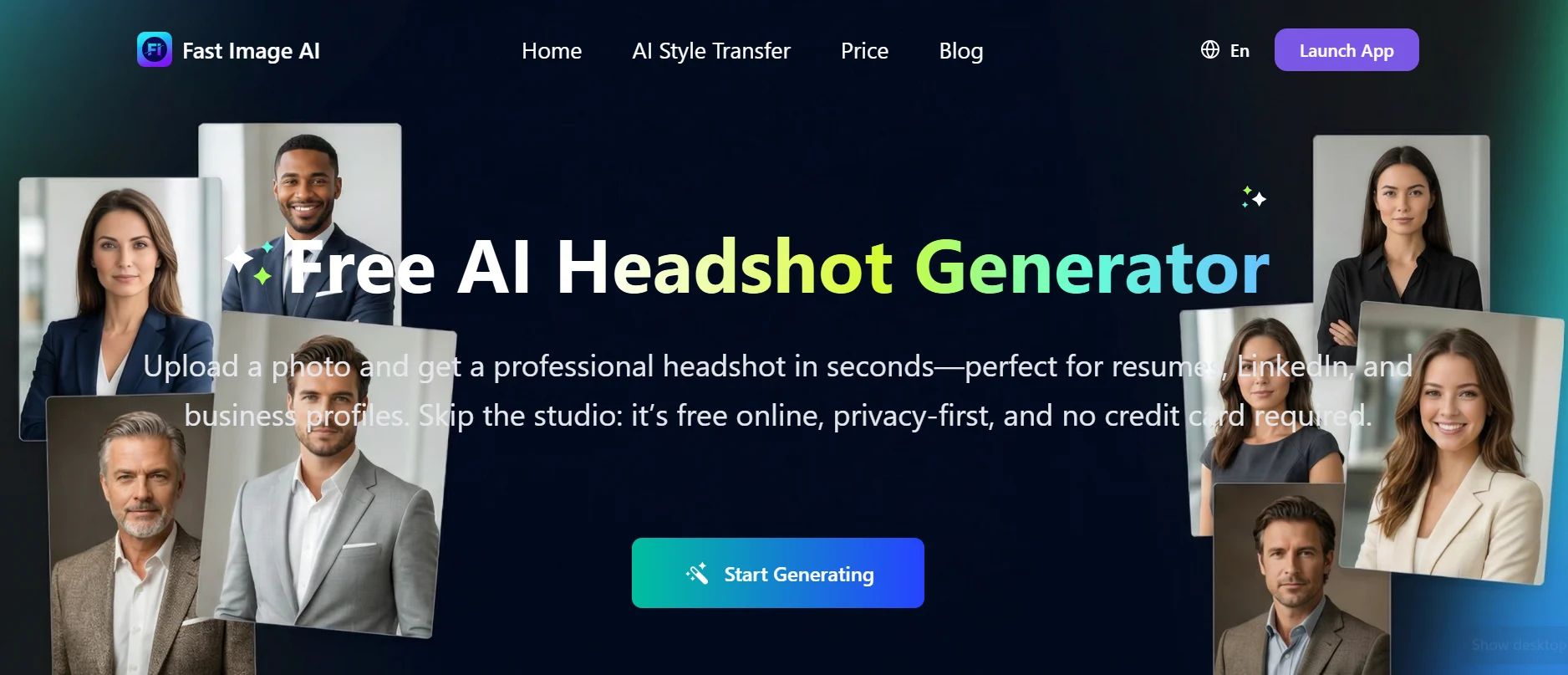
You know what nobody talks about when you're job hunting or trying to land a client? The headshot gap. On one side, you've got people with sharp, well-lit portraits shot by an actual photographer — photos that make them look like they've got it together before anyone reads a word. On the other side, there's the rest of us: a blurry selfie cropped from someone's wedding, or nothing at all. Fast Image AI was built to fix exactly that, and it does it without charging you a thing.
Here's the basic idea: upload a few of your own photos, let the AI do its thing, pick a style, and you've got professional headshots in minutes. No photographer, no studio, no scheduling nightmare, no invoice. Just a clean, polished photo you can actually use.
But look — the concept is obviously appealing. That part's easy. The real question is whether Fast Image AI actually delivers in practice, and whether the results are good enough that you'd feel comfortable putting them on your LinkedIn or your resume. That's what this review is here to figure out.
⚡ Quick Summary: Is Fast Image AI Worth Using?
- What it is: A free AI headshot generator that creates professional profile photos from photos you upload.
- Best for: Job seekers, LinkedIn users, freelancers, startup founders, remote workers, and students entering the job market.
- Key advantage: Delivers professional-quality headshots in minutes at zero cost — no photographer or studio required.
- Worth using if: You need a polished profile photo but don't have the budget or time for a traditional photography session.
- Key limitation: Output quality depends heavily on the quality of photos you upload as source material.
What Is Fast Image AI?
Fast Image AI is an online AI headshot generator that takes the casual photos already sitting on your phone and turns them into professional-looking profile photos. It analyzes your face, applies studio-style lighting and backgrounds, and spits out portraits that look dramatically better than whatever you started with.
It sits in a growing category of AI photography tools that are genuinely making professional-grade visuals accessible to regular people. Getting a professional headshot used to mean spending $100 to $500 or more, booking an appointment, and hoping the photographer captured something usable. Fast Image AI cuts out all three of those hurdles at once.
Who needs this? Honestly, more people than you'd think. Job seekers with an outdated LinkedIn photo. Freelancers who don't have anything professional to put on their website. Founders who need to look the part for a pitch deck. Remote workers whose company directory still has the photo from their first week, three years and a haircut ago.
And here's the thing that makes it different from just slapping a filter on a selfie: it doesn't enhance an existing photo. It generates a new headshot based on your facial features and the style you pick. The output is a distinct professional portrait, not a touched-up snapshot.
Why Professional Headshots Matter More Than Ever
The first impression you make on LinkedIn, a portfolio page, or a job application often happens through your profile photo — before anyone reads a single line of your bio. That's not a small thing. The data consistently shows that profiles with professional headshots get significantly more views, more connection requests, and more engagement than profiles with casual photos or nothing at all.
And honestly, it's gotten more important in recent years. Remote work shifted everything onto video calls, where you're literally looking at each other's faces all day. The quality of your professional photo signals how seriously you take your own presentation — and by extension, how seriously you might take someone's project or expectations.
So why don't more people have a decent headshot? Cost, mostly. And the friction — booking a session, traveling to a studio, awkwardly posing under studio lights, then waiting a week for edited photos. Fast Image AI removes every single one of those friction points and makes a professional result achievable in an afternoon.
The LinkedIn Problem
LinkedIn has become the professional front door for most knowledge workers. Recruiters scroll through dozens of profiles for a single role, and your headshot is the first thing they see. A poorly lit, awkwardly framed, or clearly casual photo communicates something about your attention to detail that even an impressive resume can't fully override in a first impression.
Same logic applies to freelancer profiles on Upwork or Toptal, agency bios, conference speaker pages, and startup press pages. Every place your photo shows up is either building or undermining your credibility. A good AI headshot generator makes it easy to get the stronger outcome.
Personal Branding in 2026
Building a personal brand actually matters now in ways it didn't a decade ago. Whether you're a developer on GitHub, a designer on Behance, a consultant doing thought leadership content, or a creator building an audience — a consistent, professional-looking profile image is the visual anchor of everything you're trying to build.
Without that anchor, every platform you appear on looks like it belongs to a different person. With it, your professional presence becomes coherent and recognizable. Fast Image AI gives you that foundation without the traditional cost or the awkward studio experience.
Key Features of Fast Image AI
Beyond the headline promise of "free AI headshots," here's what the platform actually gives you — and where you'll start to notice the edges of what it can do.
Free AI Headshot Generation
The defining feature is that you can actually generate professional headshots without paying. And this isn't one of those situations where you sign up and discover the only free output is a watermarked thumbnail the size of a postage stamp. The free tier gives you genuinely usable AI-generated headshots — which sets it apart immediately from most competitors that require a subscription or per-image credit before producing anything worth downloading.
To be fair, free access does come with some limits on how many images you can generate and which styles are available. But for a first headshot or a LinkedIn refresh, the free tier delivers real value rather than just a teaser to nudge you toward a paywall.
Fast Processing Speed
Fast Image AI takes the "fast" in its name seriously. Once you upload your source photos and pick a style, results come back within a few minutes — sometimes faster, depending on how busy the servers are. Compare that to the traditional workflow: book weeks out, show up to a studio, shoot, wait several days for edited final photos. It's not even a fair comparison.
For time-sensitive situations — a job opportunity that came out of nowhere, a conference submission with a hard deadline, a pitch meeting tomorrow morning — this speed turns headshot generation from a logistical project into something you can knock out on your lunch break.
Multiple Styles and Looks
One of the genuinely good things about AI headshot generation is the ability to try multiple completely different looks from the exact same source photos. With a photographer, changing your background or your look means booking and paying for another session. With Fast Image AI, different style outputs come from the same upload — so you can compare a formal corporate portrait next to a warmer, more approachable creative headshot and pick whichever actually fits your situation.
Style options typically include formal business looks with neutral backgrounds, professional-but-approachable portraits for more people-focused industries, creative styles for designers and marketers, and warmer shots better suited for personal brand contexts. One upload, genuinely different outputs.
Business and Corporate Headshots
Corporate headshots are honestly one of Fast Image AI's strongest use cases. The platform produces clean, consistent, professional portraits — exactly the kind companies use for employee directories, press pages, leadership team sections, and conference speaker profiles. For remote teams where coordinating everyone for a photographer is a logistical nightmare, Fast Image AI offers a scalable option that keeps visual consistency across the whole team regardless of where everyone is sitting.
Creative and Personal Brand Portraits
Beyond the corporate look, Fast Image AI also supports more personality-forward styles — the kind of headshot that says something a bit more distinctive than just "I own a blazer." Content creators, entrepreneurs, designers, consultants who want warmth in their photo rather than just professionalism — all of these people can find something that works here. You're not locked into one visual tone.
Profile Picture Generation
The outputs are actually optimized for how profile photos get used — square crops on LinkedIn, circular thumbnails on portfolio sites, headshots in email signatures. That sounds like a minor detail, but it matters in practice. A headshot that isn't framed for profile use often loses the most important part of the image when it gets cropped to a circle. Fast Image AI accounts for this in how the photos are composed.
Cloud-Based Workflow
Everything happens in the browser — no software to download, no app to install. Upload your photos, make your selections, get your outputs. Works on any device. The processing happens on their servers, so you don't need a powerful computer to get good results.
High-Resolution Output
Professional use needs images that actually look sharp — from a small LinkedIn circle to a full-width portfolio banner. Fast Image AI generates headshots at resolutions suited for professional use. Resolution options may vary between free and paid tiers, but the core output quality isn't preview-only low-res files you can't actually use.
Customization Capabilities
You can guide the AI toward your preferred aesthetic through style selection, background preferences, and lighting direction. So it isn't a black box where you upload photos and hope for the best. You're directing the output, even without any photo editing skills. That's a meaningful difference from just applying a preset filter to a selfie.
How Fast Image AI Works: Step-by-Step
The whole workflow is straightforward — no photography knowledge, no design skills, no technical experience required. Here's what the process actually looks like from start to finish.
Step 1 — Create Your Account: Sign up on the Fast Image AI platform — either with an email or a social login. It's quick. Basic profile setup, and you're ready to go.
Step 2 — Upload Your Source Photos: Upload a selection of your existing photos — somewhere between 5 and 20 images works best. The platform gives you guidance on what makes a good source photo: varied angles, different lighting, clear facial visibility, a range of expressions. More diverse photos = more for the AI to work with = better, more consistent results across styles.
Step 3 — AI Analysis: Once uploaded, the AI analyzes your facial structure, features, skin tone, and the characteristics of your submitted photos. This is what lets it generate headshots that actually look like you, not just some generic professional portrait that vaguely shares your bone structure. It learns your specific features before generating anything.
Step 4 — Select Your Styles: With your photos analyzed, pick the headshot styles you want. Formal corporate, creative profile, LinkedIn-optimized, a mix — your call. Some platforms let you specify background color preferences, lighting mood, and attire style here too, giving you more control over the final direction.
Step 5 — AI Generation: The platform processes your selections and generates your headshots. Usually takes a few minutes. You can close the tab and come back when notified, or just wait. Either way it's fast compared to any traditional photography workflow.
Step 6 — Review and Select: Browse through the generated headshots and figure out which ones actually work. Good platforms give you multiple variations within each style, so you're choosing from options rather than locked into one result. Look for natural expressions, accurate skin tone, flattering lighting, and framing that suits your intended use.
Step 7 — Download and Use: Download the keepers and put them to work. Update LinkedIn, swap out the resume photo, refresh the portfolio site, replace the company directory photo that's been embarrassing you for two years. The whole process from sign-up to final download is doable in under thirty minutes.
Real-World Use Cases
The versatility of a good AI headshot generator becomes obvious when you look at the range of specific situations where having a decent profile photo actually makes a difference.
LinkedIn Profile Optimization
The Job Seeker Who Hasn't Updated Their Profile Photo in Five Years
Someone pivoting into a new industry after a decade in their current role has a LinkedIn profile that's outdated in multiple ways — but the photo is usually the most immediately visible problem. A photo from six years ago doesn't reflect how they look today, and a casual snapshot repurposed as a headshot undermines an otherwise strong profile. Fast Image AI lets this person generate a current, polished headshot in an afternoon — immediately upgrading the first impression their profile makes on recruiters before anyone even reads the resume.
Resume Enhancement
The Recent Graduate Entering a Competitive Job Market
A final-year student heading into a competitive job market needs every advantage they can get. In markets where resume headshots are standard — across much of Asia, Europe, and Latin America — the quality of that photo signals professionalism and preparation. A student who can't afford a photography session can now produce a headshot that matches the quality of candidates with more resources, just by using Fast Image AI. For roles where the resume photo genuinely gets evaluated, this is more consequential than it might seem.
Corporate Team Headshots
The Remote Team That Needs Consistent Employee Directory Photos
A fully remote company scaling across time zones faces a consistent headache: getting everyone a matching, professional-quality headshot for the company website, press page, and internal directory. Coordinating a photographer across ten cities isn't practical and isn't cheap. Fast Image AI lets each team member generate their own headshot independently, with consistent style parameters across the board — so the team's public-facing profiles actually look like they belong to the same organization.
Startup Founder Branding
The Founder Preparing for a Fundraising Round
When a startup founder is putting together investor outreach — pitch decks, AngelList profiles, press releases, conference speaker submissions — their headshot shows up in contexts where credibility is actively being assessed. An unflattering or obviously casual photo in a fundraising deck creates a credibility gap that doesn't need to be there. Fast Image AI gives founders a polished, professional portrait that matches what investors expect to see, without the cost or scheduling overhead of a photography session during an already demanding sprint.
Freelancer Portfolio Profiles
The Freelancer Building a Personal Website and Client Pitch Presence
A freelance copywriter, developer, or consultant building out their website and Upwork profile needs a headshot that communicates the professionalism their work quality warrants. The disconnect between polished portfolio pieces and a casual profile photo is jarring — it works against the exact impression they're trying to make. Fast Image AI closes that gap immediately. And because you can generate multiple styles from one upload, they can use a formal portrait on the professional site and a warmer, more approachable version on social platforms where personality matters more.
Social Media Personal Branding
The Content Creator Establishing a Consistent Cross-Platform Identity
A creator building an audience across LinkedIn, Twitter, Instagram, and a personal newsletter needs a consistent visual identity that makes their profile recognizable across platforms. Using the same professional headshot — or coordinated variations — across all channels creates visual coherence that compounds over time. Fast Image AI makes it practical to generate that consistent, professional image set without the cost of a full branding photography session.
Portfolio Websites
The Designer Whose Portfolio Needs an About Page That Matches the Work Quality
A UX designer or graphic artist's portfolio showcases their design sensibility — and an unprofessional About page photo undermines the visual quality of everything else on the site. Using Fast Image AI to generate a headshot that matches the aesthetic sophistication of the portfolio work creates coherence between who you are and the quality of what you produce. The result is a portfolio that looks intentional from the first visit to the last scroll.
Benefits of Using Fast Image AI
The advantages go beyond the obvious "it's free" appeal. The cumulative benefits across cost, time, accessibility, and convenience make a genuinely strong case for a wide range of users.
- Zero cost barrier: The free tier removes the financial obstacle that has historically kept most people from getting a professional headshot. Quality is now accessible regardless of budget.
- Serious time savings: What used to require booking, traveling to a studio, shooting, and waiting days for edits now takes under an hour from start to finish.
- No scheduling required: You can generate headshots any time, any day, from wherever you are. No appointments, no travel, no coordinating with a photographer's calendar.
- Multiple styles from one upload: A single set of source photos can produce formal corporate portraits, creative headshots, and personal brand photos — different looks for different contexts.
- Ready to use immediately: Downloaded headshots can go straight onto LinkedIn, your resume, or your portfolio — no waiting for an edit cycle to finish.
- Consistent quality across teams: Remote teams can produce matching professional headshots with consistent visual style without coordinating a photographer.
- Less pressure than a real session: Some people genuinely find photo sessions uncomfortable. Generating AI headshots from your own environment removes that social anxiety entirely.
- Easy to refresh over time: As your appearance changes, you can upload new photos and generate updated headshots quickly — no recurring photography costs.
- No technical skills needed: If you can upload a photo and click a button, you can use this platform. That's genuinely the whole barrier to entry.
- Better professional opportunities: Better profile photos lead to better first impressions, more LinkedIn engagement, and stronger initial perceptions across every professional context where your photo shows up.
Fast Image AI vs Traditional Photography
Honestly, comparing these two is worth doing — but they're not competing for the same people in most cases. Here's what the actual comparison looks like.
| Aspect | Traditional Photography | Fast Image AI |
|---|---|---|
| Cost | $100–$500+ per session | Free (paid tiers optional) |
| Time to final photo | Days to weeks (booking + shoot + editing) | Under an hour end to end |
| Scheduling required | Yes — appointment with photographer | No — available any time, any day |
| Number of styles | One setup per session (more costs more) | Multiple styles from one upload |
| Geographic access | Requires local photographer or travel | Available globally, entirely online |
| Expression authenticity | Natural, captured in the moment | AI-generated, may look slightly idealized |
| Creative control | High — direct collaboration with photographer | Moderate — style selection and prompt guidance |
| Technical quality ceiling | Highest possible — professional equipment and skill | Very good — professional-looking, AI-optimized |
| Suitable for print at large scale | Yes — full resolution for any use | Good for web; verify resolution for large print |
| Accessibility | Limited by cost, location, and availability | Available to anyone with internet access |
| Output consistency for teams | Difficult to maintain across geographies | Easy to maintain consistent style at scale |
To be fair: traditional professional photography still produces a higher quality ceiling — particularly for high-stakes use cases like major press features, book covers, or brand campaigns where the photo itself is a primary marketing asset. But for the much larger everyday category — LinkedIn, portfolio websites, resume headshots, company directories — Fast Image AI delivers results that are genuinely solid and dramatically more accessible.
Pros and Cons
✓ Pros
- Completely free to get started — no credit card required
- Delivers professional-quality headshots in minutes
- Multiple styles available from a single upload session
- No photography knowledge or design skills needed
- Cloud-based — works on any device with a browser
- Accessible to anyone globally with an internet connection
- Ideal for LinkedIn, resumes, and personal brand profiles
- Output optimized for profile picture formats and crops
- Scalable for remote teams needing consistent headshots
- Removes the social pressure of a traditional photo session
- Easy to update headshots as appearance changes over time
- Strong time savings versus traditional photography workflow
✗ Cons
- Output quality depends significantly on source photo quality
- AI results may look slightly idealized rather than fully natural
- Free tier may limit style selection and output resolution
- Can't fully replicate the authentic expression a photographer captures
- Performance can vary across different skin tones and ethnicities
- Not a replacement for high-stakes premium photography use cases
- Requires uploading personal photos to a third-party platform
Who Should Use Fast Image AI?
Let's be honest — it's more useful to talk about who benefits most than to claim it's perfect for everyone. Different people will get different amounts of value from it.
Job seekers and career changers are probably the clearest fit. A polished LinkedIn headshot is one of the highest-leverage improvements you can make to a job search, and Fast Image AI delivers it without the cost or time commitment of a photography session.
Students entering the professional world often don't have the budget for professional photography but are applying for internships, entry-level positions, and grad programs where a strong profile photo genuinely matters. Fast Image AI gives them access to professional-quality imagery that puts them on equal visual footing with more experienced candidates.
Freelancers and consultants building personal brands and portfolio websites need a professional anchor image. A well-generated AI headshot serves this purpose effectively across every platform where their profile shows up.
Startup founders and entrepreneurs who need polished imagery for pitch materials, press pages, and investor profiles get access to a professional headshot without diverting time or money from more pressing business priorities during an already demanding build phase.
Remote and distributed teams that need visual consistency across employee directories and company websites can use Fast Image AI to produce matching professional headshots across different locations without coordinating a photographer.
Content creators and personal brand builders who need a consistent, professional-looking profile image to anchor their identity across LinkedIn, Twitter, Instagram, and personal websites will find the platform immediately practical.
Small business owners who need professional imagery for their About pages, marketing materials, and social profiles — but are managing every aspect of the business themselves — benefit from the accessibility and zero cost.
Who might want to supplement with traditional photography: C-suite executives whose photos appear in major publications, authors needing photos for book covers, speakers requiring conference promotional materials, and anyone whose professional identity depends on conveying maximum authenticity through their portrait. These users might find AI headshots useful for everyday profile use while keeping a photographer relationship for high-visibility moments.
Tips for Getting Better AI Headshots
The quality of what you get out depends heavily on what you put in. These practical tips apply specifically to getting the best results from Fast Image AI.
- Use well-lit source photos: Natural window light or outdoor lighting produces the cleanest input. Avoid harsh overhead lighting, strong shadows across the face, or heavily filtered phone photos.
- Provide variety in your uploads: Include photos from slightly different angles — straight-on, slightly left, slightly right — and with different expressions. More diverse inputs give the AI more to work with and produce more natural, varied output.
- Keep the face clearly visible: Avoid photos where your face is partially obscured, heavily shadowed, or positioned far from the camera. Larger, clearer facial detail in your source photos means better AI recognition and more accurate generation.
- Avoid heavy filters on source photos: Heavily filtered Instagram-style photos with warped colors or facial features confuse the AI's analysis. Use as-shot photos or lightly edited images.
- Include recent photos that reflect how you actually look now: The AI generates headshots that look like you based on your input photos. Using current photos means the output reflects today's you, not two-years-ago you.
- Wear what you'd wear professionally: While the AI often generates appropriate business attire in the output, wearing clean, neutral professional clothing in your source photos helps anchor the generation toward a professional aesthetic.
- Generate multiple styles and compare: Don't stop at the first result that looks good. Generate several variations and compare them side by side — you might be surprised which one actually presents best for your specific use.
- Check the output at actual usage size: A headshot that looks great as a large website banner may not crop well to a LinkedIn circle thumbnail. Download your favorites and preview them at actual usage size before committing to one.
- Be willing to run a second session: If your first generation session doesn't produce results you're satisfied with, try uploading a different selection of source photos. The input set has an enormous influence on output quality.
Privacy and Security Considerations
Uploading your personal photos to any online platform warrants some thought — and AI headshot generators are no exception. Here's an honest look at what you should consider before using Fast Image AI.
The core thing to understand is that your face is biometric data. Photos with clear facial imagery are more sensitive than most other types of personal data. Before uploading, spend five minutes reading the platform's privacy policy — specifically looking for: How long are uploaded photos retained? Are they used to train AI models? Are they shared with third parties? Can you request deletion?
For most legitimate AI headshot platforms, the practical privacy risk of uploading photos is low — these platforms have no real business incentive to misuse personal photos and significant reputational risk if they did. But being an informed user is always the smarter approach.
A few other sensible precautions: stick to reputable, established platforms rather than obscure services with no verifiable track record. Be wary of services that ask for a lot of personal information beyond an email for account creation. And check whether the service clearly explains its data retention and deletion policies before you upload anything.
Fast Image AI is built specifically around the premise that users will be uploading personal photos — so its data handling should be designed with that responsibility in mind. As with any service, verifying current policies directly on the platform before using it is always the most reliable approach.
The Future of AI Headshot Technology
The AI headshot space in 2026 is moving faster than most people outside the AI industry realize. What was genuinely impressive twelve months ago is already baseline expectation today — and the trajectory points toward capabilities that'll make current limitations look primitive in the near term.
The most significant near-term development is continued improvement in facial realism and expression authenticity. Early AI headshot generators had a certain uncanny smoothness — skin too perfect, expressions slightly frozen, lighting too evenly distributed. The latest AI portrait models have largely resolved those artifacts, and the next generation is expected to produce results increasingly indistinguishable from high-quality professional photography for most viewers.
Real-time generation is another trajectory worth watching. Current platforms process photos over a few minutes. Advances in inference efficiency are pushing toward near-instantaneous generation — which'll make AI headshot tools as fast as any basic photo editing operation.
Video headshots represent a logical next step. As AI video generation matures, the same technology that creates a convincing professional headshot will generate a short looping video portrait — a talking-head clip that brings a static profile photo to life. LinkedIn has already introduced video profile features, and this will become increasingly valuable as video-first professional communication keeps expanding.
Personalization depth will also increase substantially. Future AI headshot tools will likely support more granular style customization — exact background colors, lighting temperatures, clothing styles, contextual environments — allowing users to generate headshots that are precisely calibrated to their specific brand identity and platform aesthetic.
The broader democratization trend is probably the most significant long-term development. Professional-quality visual self-presentation is becoming a capability accessible to everyone regardless of income, geography, or access to professional photography services — and AI headshot generators like Fast Image AI are a direct expression of that shift.
Frequently Asked Questions
What is Fast Image AI?
Fast Image AI is a free AI-powered headshot generator that creates professional-quality profile photos, business portraits, and personal branding images from photos you upload. It uses machine learning to analyze your facial features and produce polished headshots suitable for LinkedIn, resumes, professional portfolios, and personal branding — without a photographer or studio session.
Is Fast Image AI really free?
Fast Image AI offers a free tier that lets you generate AI headshots without any upfront payment. Free access typically comes with some limits on generation volume or style selection. For higher-volume use, additional styles, or full-resolution downloads, optional paid tiers may be available. Check the official Fast Image AI website for the most current free tier details — pricing in this space changes regularly.
How good are the headshots produced by Fast Image AI?
Fast Image AI produces headshots that range from noticeably professional to genuinely impressive, depending on the quality of source photos you upload. Well-lit, in-focus photos with clear facial visibility consistently yield results suitable for LinkedIn profiles, professional websites, and resume headers. Results are significantly better than a casual selfie and competitive with the output of many paid AI headshot services.
What types of headshots can Fast Image AI generate?
Fast Image AI supports multiple headshot styles including professional business portraits, casual creative profiles, LinkedIn-optimized headshots, corporate executive looks, entrepreneurial branding images, and creative industry portraits. The variety of styles makes the platform useful across different professional contexts — from formal corporate settings to creative freelance portfolios and personal brand channels.
Is Fast Image AI safe to use?
Fast Image AI processes uploaded photos through its servers to generate AI headshots. As with any platform handling personal images, you should review the privacy policy before uploading, understand how uploaded images are stored and used, and only upload photos of yourself rather than others. Using your own photos on reputable AI platforms for professional headshot generation is generally a low-risk activity when approached with basic awareness.
How many photos do I need to upload?
Fast Image AI typically performs best with between 5 and 20 source photos, though requirements may vary. More photos with varied angles, lighting conditions, and expressions give the AI more facial data to work with and generally produce more consistent, natural-looking outputs. Avoid uploading the same image multiple times — variety in your source set is what actually improves output quality.
Can Fast Image AI generate headshots for LinkedIn?
Yes, LinkedIn-optimized headshots are one of the most popular use cases for Fast Image AI. The platform produces professional-looking portraits with clean backgrounds, appropriate framing, and polished presentation that performs well on LinkedIn profiles. A strong LinkedIn headshot meaningfully improves profile engagement and connection acceptance rates — and Fast Image AI makes this achievable without scheduling or paying for a photography session.
How long does Fast Image AI take to generate headshots?
Fast Image AI typically processes and returns headshot results within a few minutes of uploading source photos and selecting styles. Processing times can vary depending on platform load and the number of style variations selected, but the turnaround is consistently faster than any traditional photography alternative — which makes it practical even for time-sensitive situations.
Who should use Fast Image AI?
Fast Image AI is well-suited for job seekers refreshing LinkedIn profiles, freelancers building personal brand websites, startup founders needing pitch materials, remote workers updating company directories, college students entering the job market, content creators, small business owners, and anyone who needs a professional-quality headshot without the cost or scheduling burden of a traditional photography session.
Does Fast Image AI work for different ethnicities and skin tones?
Fast Image AI aims for broad representation across skin tones and ethnicities, though AI image generation tools can vary in performance across different features — a known challenge in the field. Uploading a diverse set of well-lit source photos generally improves output accuracy and naturalness. If initial results seem inconsistent with your actual appearance, trying different source photos and style settings often produces better results.
Can I use Fast Image AI headshots commercially?
Usage rights for AI-generated images vary by platform. Review Fast Image AI's current terms of service for clarity on what rights you receive over generated headshots. Most platforms in this category grant broad personal use rights for professional profile purposes. Commercial use — in client marketing materials, advertising campaigns, or content sold to others — may have different terms that warrant direct verification before use.
How does Fast Image AI compare to paid AI headshot generators?
Fast Image AI's free tier competes favorably with paid alternatives for basic headshot generation needs. Paid AI headshot services often offer more style variety, higher output resolution, greater customization depth, and larger generation volumes per session. For a first headshot or occasional use, Fast Image AI's free tier is genuinely practical. For high-volume production, premium style access, or specific quality requirements, comparing premium tiers across platforms is worth the effort.
Final Verdict
🏆 Our Assessment: Fast Image AI
Fast Image AI solves a real problem — the professional headshot gap between people who can afford a photographer and everyone else — and it does so in a way that's genuinely accessible rather than just technically free. The platform delivers on its core promise: upload your photos, get professional-looking headshots, use them immediately. For the large and growing group of people who need a polished profile photo but have never had one worth using, that's not a small thing.
The quality ceiling of AI headshot generation keeps rising, and Fast Image AI sits at a point in that curve where the output is consistently good enough for the most common professional use cases — LinkedIn profiles, resume headers, portfolio About pages, company directories, and personal brand channels. For these everyday professional applications, the platform performs well and the free access makes it an easy recommendation to almost anyone who needs a better profile photo than what they currently have.
The platform's limitations are real but not surprising. Output quality is meaningfully dependent on the quality of your source photos — a reality of all AI headshot generators, not just this one. Results may look slightly idealized compared to a natural photograph, which is either a feature or a limitation depending on what you're looking for. And for truly high-stakes use cases — a book jacket, a major publication feature, a brand campaign — a professional photographer is still the right call.
But for the majority of people who've been putting off getting a decent profile photo because it felt like too much effort or too much money, Fast Image AI removes both of those excuses at once. You get a professional-quality headshot that improves your digital presence, strengthens your first impressions, and costs nothing to try. That's a real value proposition. A lot of people will find it useful the moment they know it exists.
Interested in how AI is reshaping professional photography, personal branding, and the tools people use to build their careers online? Explore more in-depth reviews and practical technology guides on RapidFast — covering the platforms that are actually changing how people work and present themselves professionally.