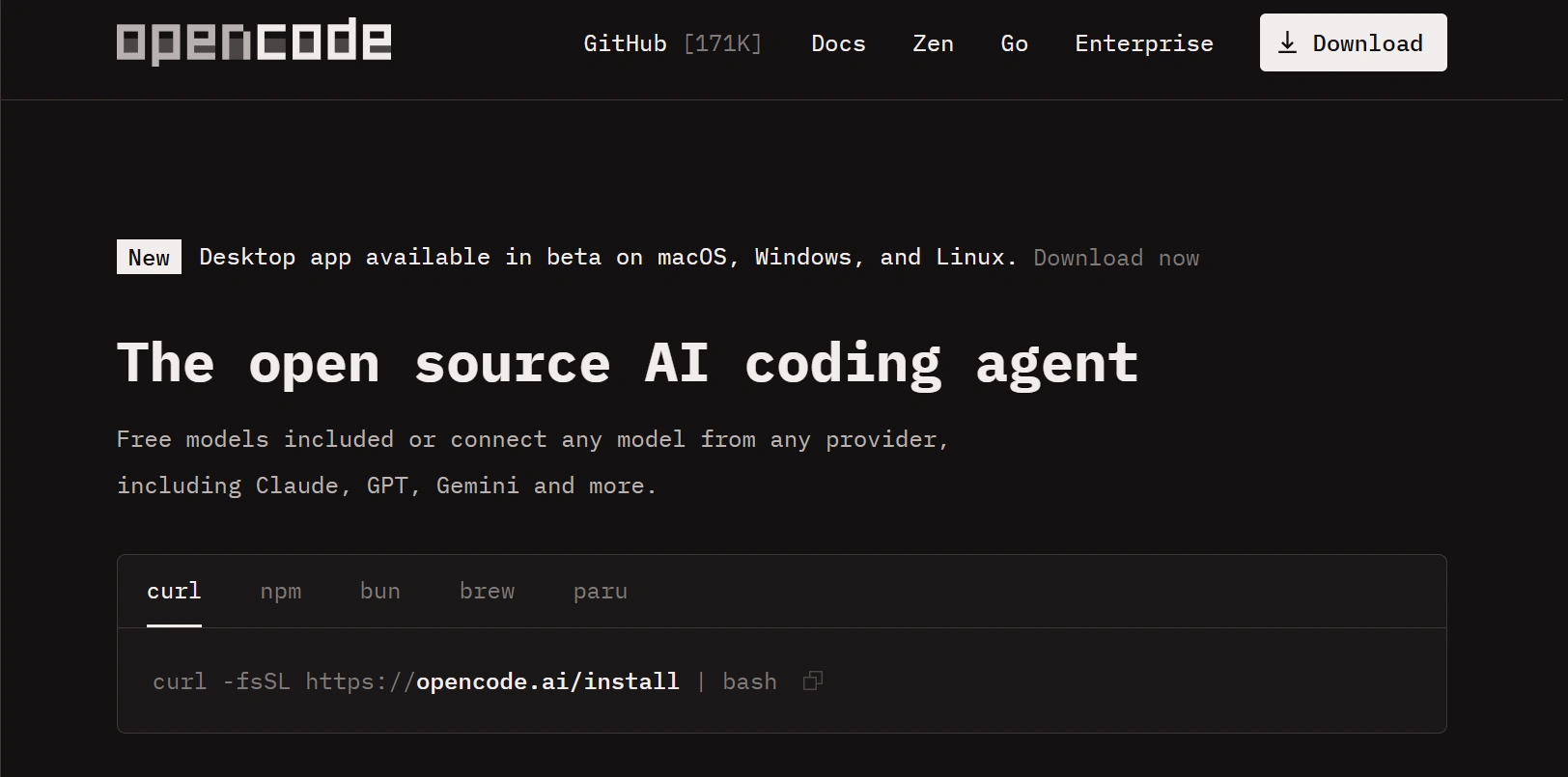
OpenCode Review: The Open Source AI Coding Agent Developers Are Watching

Something interesting is happening in the AI developer tools space. For the past two years, the conversation's been almost entirely dominated by commercial products — GitHub Copilot, Cursor, Windsurf, and a steady stream of well-funded startups racing to put AI assistance inside every IDE. These tools moved fast, raised enormous rounds, and attracted millions of developers. But a quieter, slower-moving shift has been building alongside that commercial wave: developers pushing back.

And honestly, the pushback isn't about AI-assisted coding being unhelpful — it obviously is helpful. The concerns are more fundamental. Where does my code go when I send a prompt? Who owns the AI model I'm depending on? What happens to my workflow when this startup pivots, gets acquired, or just changes its pricing? Can I actually inspect what this tool is doing, or do I have to take it on faith? For a growing number of developers — particularly those working on sensitive codebases, running security-conscious teams, or simply unwilling to accept indefinite vendor lock-in — these questions don't have satisfying answers from commercial providers.

OpenCode enters this space with a pretty straightforward pitch: an AI coding agent that's fully open source, supports self-hosting, works with multiple AI model providers including locally hosted ones, and keeps your code under your own control. In 2026, that combination is attracting real developer attention. This review looks at whether it lives up to that premise — and who's most likely to benefit from actually adopting it.

⚡ Quick Summary: OpenCode at a Glance

  • What it is: An open-source AI coding agent with terminal integration, multi-model support, and self-hosting capability.
  • Best for: Privacy-conscious developers, open-source contributors, security teams, indie hackers, and engineering teams wanting full control.
  • Key advantage: Fully transparent codebase, local model support, no vendor lock-in, and complete code ownership.
  • Honest limitation: Setup requires more technical effort than commercial alternatives; community maturity is still growing.
  • Bottom line: A serious and capable alternative to closed AI coding assistants for developers who prioritize transparency and control over out-of-the-box convenience.

What Is OpenCode?

OpenCode is an open-source AI coding agent — a software tool that uses AI models to help developers write, understand, refactor, and debug code, with the source code of the agent itself publicly available for anyone to inspect, modify, and run. Unlike commercial AI coding assistants that operate as black boxes sending your queries to proprietary servers, OpenCode is transparent by design.

The project is built around the idea that developers should have genuine ownership of the tools they depend on. That means being able to audit how the tool handles your code, being free to connect it to whichever AI model fits your requirements, and being able to run the whole system on infrastructure you control — not infrastructure you're renting from a company whose priorities may not align with yours.

At its core, OpenCode works as a terminal-native AI coding agent. It understands your repository context, responds to natural language prompts about your code, generates new code, explains existing functions, spots bugs, and helps with refactoring — across multiple files at once. Where it differs from most commercial tools isn't really in what it does but in how it does it: transparently, flexibly, and without requiring you to hand your codebase to a third party.

The main use cases cover individual developers who want a capable AI programming assistant without privacy compromises, engineering teams that need a self-hosted solution for compliance reasons, open-source contributors building on an agent they can actually improve, and students who want to understand AI-assisted development from the inside out.

Why OpenCode Matters in 2026

The timing of OpenCode's rise in developer interest isn't coincidental. Several converging trends have made the case for an open-source AI coding agent significantly more compelling in 2026 than it would've been even eighteen months ago.

AI-assisted development has crossed the threshold from experimental to essential. Most professional software teams now have some form of AI coding assistance baked into their workflow. That normalization has shifted the evaluation criteria — developers aren't just asking "does this work?" anymore. They're asking "can I trust this?" and "what are the long-term implications of depending on it?"

Data governance has become a genuine enterprise concern in ways it wasn't during the early Copilot days. Legal departments, compliance teams, and CISOs at serious companies are asking hard questions about what happens to source code sent to AI model APIs. For many organizations, the answer from commercial providers isn't satisfying — or at least not satisfying enough to justify the risk without extensive contractual negotiation and data processing agreements. A self-hosted solution that never sends code off-premises sidesteps this problem entirely.

The vendor lock-in question: When a commercial AI coding tool is deeply embedded in your workflow, its pricing model, feature decisions, and even its continued existence become your business risk. Developers who built heavily around discontinued or pivoted products in previous tool cycles have learned this the hard way. Open source doesn't eliminate all risks, but it does mean the tool can't be taken away — you can fork it, maintain your own version, and keep running it regardless of what happens to the original project.

Community-driven development also tends to produce tools that reflect what developers actually need rather than what generates the best investor deck. OpenCode's roadmap is shaped by the developers using and contributing to it, which creates a different kind of accountability than a commercial product shaped by growth metrics.

Key Features of OpenCode

Look, understanding OpenCode's feature set requires approaching it from a developer's perspective rather than a product marketing one. The capabilities are real, but they do require some technical engagement to access fully.

AI-Powered Code Generation

OpenCode's core capability is prompt-driven code generation — describe what you need in natural language and get working code back. This isn't autocomplete in the traditional sense. You're working with a full AI model that understands intent, context, and programming patterns rather than just completing the next token in a sequence.

In practice, you can describe a function you need ("write a function that validates an email address and returns a boolean"), explain what a piece of code should do and have it scaffolded from scratch, or ask for a working implementation of a specific algorithm and actually get something that runs rather than pseudocode. The quality of generation depends heavily on the AI model you connect — using something like Claude 3.5 Sonnet or GPT-4o produces noticeably stronger results than smaller or older models.

For developers, the real value shows up in the routine work that eats up a disproportionate amount of time: boilerplate code, repetitive utility functions, test scaffolding, configuration files. Having an AI agent generate these accurately from a one-line description reclaims real blocks of time across a development week.

Repository Understanding

Here's the thing that actually sets OpenCode apart from simpler AI coding tools: it builds context about your repository as a whole rather than treating each prompt as an isolated interaction. When you ask it about how a specific module works, or ask it to extend an existing function while respecting the patterns already established in your codebase, it draws on indexed understanding of your project — not just whatever's visible in a single file.

This matters enormously for real projects. A toy example for a demo looks very different from a production codebase with its own naming conventions, architectural decisions, established patterns, and accumulated technical context. An AI agent that can actually read and respect those conventions produces suggestions that fit your codebase rather than suggestions that'd work in isolation but create inconsistency when you actually put them in.

Code Refactoring

Refactoring is one of the highest-leverage applications of AI assistance in professional development — and honestly one of the most underused, because the cognitive load of restructuring existing code while preserving behavior is genuinely demanding. OpenCode handles refactoring tasks through natural language instructions: "extract this logic into a separate utility function," "convert this callback-based API to async/await," or "break this class into smaller components following the single responsibility principle."

The agent's multi-file awareness is particularly useful here. Refactoring typically cascades across files — renaming a function means updating every call site, extracting a module means adjusting imports throughout the project. OpenCode can identify and handle these cascading changes rather than leaving you to track them manually or rely on IDE rename tools that might miss dynamic references.

Bug Detection

Describing a bug you've encountered and asking OpenCode to investigate is one of the more immediately practical things you can do with it day-to-day. Paste an error message, describe unexpected behavior, or ask it to review a specific block of code for potential issues. It'll analyze the code in context, explain what it finds, and propose concrete fixes rather than generic "check your logic" suggestions.

To be clear — this isn't a replacement for a debugger or a testing suite. Those tools catch different categories of problems more reliably than language model analysis. But for the kind of logical errors and off-by-one mistakes that debuggers don't flag automatically, having an AI agent that can look at your code with fresh eyes and articulate what it sees differently is genuinely useful.

Multi-File Editing

Single-file code assistance is useful. Multi-file assistance is transformative. OpenCode's ability to reason about and modify code across multiple files simultaneously is what makes it a real coding agent rather than a sophisticated autocomplete widget. When you ask it to add a new feature that requires changes across the data model, the service layer, the API controller, and the test suite, it can address all of those locations as a coherent change — not one file at a time while you frantically track what's left.

For developers working on feature branches with changes spanning many files, this shifts the AI from a "write this function for me" tool to something closer to a capable pair programmer that can hold the full context of a change in mind and help you execute it systematically.

Terminal Integration

OpenCode is built for the terminal. This is a deliberate choice that reflects its intended audience — developers who are comfortable in the command line and prefer tooling that integrates naturally into shell-based workflows rather than requiring a separate application window or IDE plugin.

Terminal-first design means OpenCode works alongside your existing editor, whether that's Neovim, Emacs, VS Code, or anything else. You don't have to adopt a new IDE or reconfigure your entire development environment. The agent runs in your terminal, receives your prompts there, and produces output you can review and apply within the same workflow you already use. No context switching required.

Open Source Flexibility

The open-source nature of OpenCode is itself a feature — arguably the most significant one for a real subset of its users. Being able to read the source code means you know exactly what the tool does with your prompts, how it handles your code, and what data flows where. You can audit it for security, adapt it to your team's specific requirements, and contribute improvements that benefit the broader community.

And this isn't just philosophically appealing — it has practical consequences. When a bug appears in a closed commercial tool, you wait for the vendor to fix it. When a bug appears in OpenCode, you can fix it yourself, submit a pull request, and run the patched version immediately. The time between problem identification and resolution can be dramatically shorter when you have full access to the codebase.

Team Collaboration

When deployed within a team environment, OpenCode can be configured as a shared resource — a self-hosted instance that everyone on the team uses with consistent model settings, security policies, and organizational context. This is meaningfully different from every team member running their own individual commercial subscription, where configuration drifts and there's no shared organizational context baked into the agent's behavior.

A shared instance also makes it possible to configure organizational-specific knowledge — coding standards, architectural decisions, internal library conventions — that the agent respects consistently across everyone who uses it. No more explaining your project's conventions from scratch every session.

Custom AI Model Support

OpenCode's multi-model architecture is one of its most practically significant features. Rather than being tied to a single AI provider's model and pricing, you can connect it to Anthropic's Claude, OpenAI's GPT models, locally hosted open-weight models through Ollama, or other compatible providers. This gives you real control over the cost-quality-privacy trade-off rather than accepting whatever a commercial vendor decided is the right balance.

The implications are real. A team that needs maximum capability for complex architectural questions might route those prompts to a frontier model while using a smaller, cheaper local model for routine code generation. A developer with strict privacy requirements can use only local models, keeping code entirely off external servers. The flexibility to make these choices — and change them as models evolve — is something no single-provider commercial tool can offer by design.

Security and Privacy Controls

OpenCode's security story is built around transparency and self-sovereignty. Because the code is open source, you can verify that the tool isn't doing anything with your code beyond what it claims. Because it supports self-hosting, you can run it in an environment where no external network requests are made at all. Because it supports local models, you can ensure that neither your prompts nor your code ever leave your infrastructure.

For security-conscious teams and regulated industries, these controls aren't nice-to-have features — they may be hard requirements for legal compliance with data handling obligations around source code and intellectual property.

How OpenCode Works: A Step-by-Step Workflow

Understanding the practical workflow of OpenCode helps set realistic expectations for what adoption actually involves. Here's how it goes.

Step 1 — Installation: OpenCode installs through standard package managers or by cloning the repository and following the setup docs. Depending on your system and chosen configuration, this is a few terminal commands. It's not a one-click installer, but it's also not unusually complex for developers familiar with setting up developer tooling.

Step 2 — Connecting an AI Model: After installation, you configure OpenCode with the AI model provider you want to use. This means providing API credentials for a commercial model provider, or pointing to a locally running model server. The configuration lives in a local config file that you control.

Step 3 — Connecting Your Repository: Navigate to your project directory in the terminal and initialize OpenCode's repository indexing. The agent reads your codebase and builds a contextual understanding of your project structure, existing patterns, and dependencies. For large codebases, this initial indexing takes some time but runs in the background — nothing blocks you while it works.

Step 4 — Prompt-Driven Development: With the agent running in your terminal, you start interacting through natural language prompts. Ask it to explain a confusing piece of code, generate a new function, refactor an existing module, or investigate a bug. The agent responds in context, drawing on its understanding of your repository.

Step 5 — Code Generation and Review: OpenCode proposes code changes in response to your prompts. You review those changes, accept or modify them, and integrate them into your codebase. The agent doesn't apply changes without your review — you stay in control of what actually goes into your code.

Step 6 — Testing and Iteration: Run your existing test suite against AI-generated code as you would with any change. Ask OpenCode to generate or update tests if your project has a testing convention, and iterate through the prompt-review-test cycle until the implementation meets your standards.

Step 7 — Deployment: OpenCode doesn't handle deployment directly — it's a coding agent, not a CI/CD tool. Once your changes are tested and committed through your normal version control workflow, deployment follows whatever process your team already uses. The agent's job ends at well-tested, committed code.

OpenCode User Interface and Experience

Let's be honest about OpenCode's user experience: it's not polished in the way commercial products are. The terminal-first design means there's no visual dashboard, no drag-and-drop interface, no onboarding wizard walking you through your first five minutes. You open a terminal, run a command, and start typing prompts.

For many developers, that's exactly what they want. A lean interface that stays out of the way and lets you interact directly with the capability you came for. No unnecessary UI chrome, no subscription upsell banners, no feature discovery tooltips. Just the agent and your terminal.

But if you're accustomed to the polished experience of Cursor or the deep VS Code integration of Copilot, the initial experience of OpenCode may feel rough by comparison. There's a real learning curve — not just understanding the tool, but learning how to structure prompts effectively, how to configure model settings for your use case, and how to get the best results from the agent's repository understanding capabilities.

The productivity ceiling, once you're past that learning curve, is genuinely high. Developers who invest the time to configure OpenCode well and develop effective prompting habits report that it becomes a natural extension of their terminal workflow rather than something they have to consciously switch to.

Real Use Cases

Where does OpenCode actually fit in realistic development scenarios? Let's look at some concrete examples.

Startup MVP Development

The Indie Hacker Building Fast Without Privacy Compromises

A solo developer building a SaaS product needs to move quickly but is building in a sensitive domain — healthcare, fintech, or enterprise software — where the idea itself may be confidential and sending code to third-party APIs creates real intellectual property exposure. OpenCode with a local model gives them AI-assisted development speed without the code leaving their machine. They get the productivity benefits of AI pair programming without gambling on a commercial provider's data handling commitments.

Full-Stack Web Applications

The Full-Stack Developer Managing Multi-Layer Changes

A developer building a new feature in a full-stack web application needs to coordinate changes across the database schema, the API layer, the frontend components, and the test suite all at once. OpenCode's multi-file editing and repository awareness means the developer can describe the feature in plain language and have the agent propose coordinated changes across all layers — which they then review, adjust, and integrate rather than manually tracking what needs to change where across a sprawling codebase.

Open Source Projects

The Open Source Maintainer Handling Contributor PRs

An open source project maintainer reviewing incoming pull requests benefits from OpenCode's code explanation and analysis capabilities. Understanding what a contributor's change actually does — including subtle behavioral changes that aren't immediately obvious from the diff — is faster with AI assistance than reading through everything manually. OpenCode can also help maintainers write thorough review comments, suggest improvements to contributor code, and draft documentation for new features before merging.

Internal Business Tools

The Engineering Team Building on Sensitive Internal Systems

An internal engineering team building tooling on top of proprietary business systems — customer databases, financial records, operational infrastructure — where code snippets necessarily contain sensitive internal structure can't easily use commercial AI coding tools that send data externally. Self-hosted OpenCode with a local model or a privately deployed model instance solves this cleanly. The team gets AI assistance; their internal system architecture stays internal.

Learning and Education

The Computer Science Student Learning Through Transparent Tooling

A student learning software development gets more educational value from a tool they can inspect and understand than from a black box that generates code without explanation. OpenCode's open-source nature means a curious student can read the agent's code, understand how it structures prompts, see how it handles repository context, and contribute back to the project — building real development skills on an active open-source codebase rather than just consuming a commercial product.

Enterprise Engineering Teams

The Enterprise Team Meeting Data Governance Requirements

A large engineering organization with legal and compliance requirements around source code handling needs AI coding assistance that can be deployed entirely within its own cloud infrastructure. OpenCode deployed as a self-hosted instance connected to a privately hosted model gives enterprise teams the developer productivity benefits of AI coding assistance while satisfying the data handling requirements their legal and security teams have established. The alternative — negotiating custom data processing agreements with commercial providers — is both slower and less certain.

OpenCode vs Other AI Coding Agents

Comparing OpenCode honestly against the commercial tools it competes with requires acknowledging that each tool makes a different set of trade-offs. There's no universally superior option — the right choice depends on your specific priorities.

Feature OpenCode Cursor GitHub Copilot Claude Code Windsurf
Open Source ✓ Yes ✗ No ✗ No ✗ No ✗ No
Self Hosting ✓ Full ✗ No ✗ No ✗ No ✗ No
Privacy / Code Ownership ✓ Complete Partial Partial Partial Partial
Custom AI Models ✓ Yes Limited ✗ No ✗ No Limited
Local Model Support ✓ Yes ✗ No ✗ No ✗ No ✗ No
Repository Awareness ✓ Strong ✓ Strong Moderate ✓ Strong ✓ Strong
Multi-File Editing ✓ Yes ✓ Yes Limited ✓ Yes ✓ Yes
Team Collaboration ✓ Self-hosted ✓ Teams plan ✓ Enterprise Limited ✓ Teams plan
Cost Free + API/infra Paid subscription Paid subscription Usage-based Paid subscription
Vendor Lock-in ✓ None High High Moderate High
Setup Complexity Moderate Low Very Low Low Low
Community Contributions ✓ Open ✗ Closed ✗ Closed ✗ Closed ✗ Closed

The pattern in this comparison is clear. OpenCode wins decisively on the dimensions that matter most to privacy-conscious developers and compliance-driven organizations: open source transparency, self-hosting, local model support, and freedom from vendor lock-in. Commercial tools like Cursor and Windsurf win on polish, ease of onboarding, and IDE integration depth. GitHub Copilot wins on ecosystem reach and seamless GitHub integration. Claude Code wins on the quality of AI reasoning when used with frontier Anthropic models.

So the useful question isn't "which tool is objectively best" — it's "which tool is best for the priorities I actually have." For most individual developers who want a capable AI assistant immediately without configuration overhead, commercial tools have real advantages. For developers and teams who need self-hosted infrastructure, custom model flexibility, or full code sovereignty, OpenCode offers something no commercial tool can match.

Advantages of OpenCode

The case for OpenCode is strongest when you look at the cumulative advantages it offers rather than evaluating any single feature in isolation.

  • Complete code privacy: In self-hosted configurations with local models, your source code never touches an external server under any circumstances. This isn't just a policy promise — it's a technical guarantee.
  • No vendor dependency: OpenCode can't be taken away, paused, or pivoted away from its original purpose without your knowledge. The codebase is yours to run indefinitely.
  • Auditable by design: Every developer who uses OpenCode can read the code that handles their prompts. There are no hidden behaviors, no undocumented data flows, and no need to take anyone's word for what the tool does.
  • Model flexibility: Switch between AI providers based on performance, cost, or privacy requirements without rebuilding your workflow around a new tool.
  • Cost structure you control: Your only recurring costs are the AI model APIs you choose to use and the infrastructure you run it on. No subscription fees to a tool vendor on top of those.
  • Community-driven improvement: Bug fixes and new features can come from any developer in the community — including you — rather than waiting for a commercial roadmap to prioritize your use case.
  • Terminal-native workflow: Works alongside your existing editor and tools without requiring you to adopt a new IDE or change your whole development environment setup.
  • Enterprise deployment flexibility: Can be deployed inside private cloud infrastructure, isolated networks, or air-gapped environments where commercial SaaS tools simply can't operate.
  • Educational transparency: Developers learning how AI coding agents work can study the implementation directly rather than treating it as a black box.
  • Contributing to the ecosystem: Using OpenCode means contributing to an open developer ecosystem rather than concentrating more capability in a handful of commercial vendors.

Potential Limitations

OpenCode's honest limitations are worth discussing directly. Glossing over them would be misleading to anyone trying to make an informed adoption decision.

Setup complexity: OpenCode requires more configuration than commercial alternatives. You need to install the software, configure your AI model provider, set up your repository indexing, and potentially configure a local model server if you're going that route. It's not unusually difficult for experienced developers, but it's significantly more involved than installing a browser extension or accepting a VS Code plugin.

Community maturity: OpenCode's community is growing but it's younger and smaller than the ecosystems around major commercial tools. Documentation gaps exist. Edge cases may not have Stack Overflow answers yet. When you hit an unusual problem, you may need to dig into the source code yourself rather than finding an existing solution — which is actually feasible precisely because it's open source, but it requires a different kind of engagement than commercial support.

Documentation gaps: Open-source projects often have documentation that lags behind development. Configuration options may not be fully documented, edge-case behaviors may not be explained, and setup guides may assume a level of technical familiarity that not all developers have. This is improving as the community matures, but it remains a real friction point for new users right now.

Model dependency: OpenCode's output quality is fundamentally constrained by the quality of the AI model you connect. A well-configured OpenCode instance with a capable frontier model will produce strong results. An instance connected to a weak or poorly suited model will produce mediocre results regardless of how well OpenCode itself is configured. Getting the model selection right is part of the setup investment.

No integrated IDE: Developers who prefer a single unified environment where the AI is deeply embedded in the editor experience — like Cursor's approach — will find OpenCode's terminal-first design requires a different mental model. It works alongside your editor rather than being inside it, which is a feature for some and a limitation for others. Fair enough either way.

Security and Privacy

OpenCode's security story is worth examining carefully because it operates differently from commercial tools in ways that matter for specific use cases.

The most significant security property of OpenCode is its auditability. When a commercial AI coding tool claims your code isn't stored or used for training, you're accepting that claim on trust. When OpenCode makes the same claim, you can verify it by reading the source code. For security teams that are used to verifying rather than trusting, that's not a minor distinction.

Self-hosted deployments with local models represent the strongest possible privacy posture for AI-assisted development. When OpenCode runs on your infrastructure and the AI model also runs on your infrastructure, there's no network path for your code to travel off-premises. This is technically verifiable through network monitoring rather than contractually asserted through a data processing agreement.

When using external API-based models — Claude, GPT-4, or others — the privacy properties revert to whatever those providers guarantee. OpenCode itself doesn't introduce additional data exposure beyond what the model API does, but it also can't compensate for data handling policies you may find inadequate in those providers' terms of service.

For enterprises evaluating OpenCode, the relevant compliance question is whether a self-hosted deployment with appropriate model selection can satisfy the data governance requirements their legal and security functions impose. For most organizations with genuine code sovereignty requirements, the answer is yes — with the caveat that the infrastructure itself must be properly secured, which is a standard infrastructure responsibility rather than something OpenCode uniquely creates.

Pricing and Cost Considerations

OpenCode is free to use as software. There's no licensing fee, no subscription, and no per-seat charge for the agent itself. But understanding the full cost picture requires looking at what OpenCode depends on.

If you use OpenCode with commercial AI model APIs — Anthropic's Claude, OpenAI's GPT models, or others — you pay those providers based on your usage. These costs vary by model, context window usage, and the volume of prompts you make. For an individual developer with moderate usage, API costs are typically modest. For a large engineering team with heavy usage, these costs can become meaningful and should be budgeted for explicitly.

If you use OpenCode with locally hosted models through Ollama or similar tools, the API cost disappears but is replaced by infrastructure cost — the hardware, cloud compute, or server capacity needed to run the model. For small local models that run on a developer laptop, this cost is essentially zero beyond electricity. For larger models that require dedicated GPU capacity, the infrastructure cost can actually exceed what commercial API fees would've been for the same usage volume. So model selection has real cost implications beyond just output quality.

Self-hosting OpenCode itself in a team environment requires server infrastructure — even a small cloud instance is enough for most team deployments. This is a negligible cost for most organizations that already run cloud infrastructure, but it's a real cost that solo developers and students should factor in if they're exploring self-hosted team configurations.

The total cost of ownership comparison with commercial alternatives depends heavily on your usage pattern and model choices. For developers already paying for frontier model API access, OpenCode represents a free addition to that spend. For teams replacing multiple commercial coding assistant subscriptions with a single self-hosted OpenCode instance, the cost dynamics often favor OpenCode meaningfully.

Who Should Use OpenCode?

Being specific about who benefits most from OpenCode — and who's probably better served by commercial alternatives — produces more useful guidance than claiming it's right for everyone.

Solo developers and indie hackers who care about privacy, want to avoid subscription lock-in, and are comfortable with terminal-based tooling will find OpenCode a strong fit. The setup investment pays off quickly for developers who use AI assistance daily.

Freelancers working with clients in regulated industries or on confidential projects benefit from the ability to guarantee code privacy in a way commercial tools can't. Being able to credibly tell a client "our AI tooling is self-hosted and your code never leaves our infrastructure" is a real professional differentiator.

Startups in early stages building on ideas that represent genuine competitive advantage benefit from AI coding assistance that doesn't require sharing their codebase with third-party AI providers during the most sensitive period of development.

Open source contributors and maintainers have a natural affinity for tools that are themselves open source — both philosophically and practically, since contributing improvements to OpenCode as a maintainer of open source projects is a coherent way to give back to developer tooling.

Students learning programming with a genuine curiosity about how things work — not just how to use them — will get more long-term value from engaging with OpenCode's internals than from treating a commercial tool as a black box. Contributing to an active open-source project is also a meaningful way to build a real portfolio.

Enterprise engineering teams subject to data governance requirements that commercial tools can't satisfy without complex contractual arrangements are strong candidates for self-hosted OpenCode deployments with appropriate model selection.

Security-focused teams in cybersecurity, fintech, healthcare, and government contexts where source code handling has legal or regulatory implications will find OpenCode's self-hosted model uniquely capable of meeting their requirements without asking the legal team to review a vendor's data processing addendum.

Who should probably start elsewhere: Developers who want a ready-to-use AI coding experience with minimal setup, teams whose workflow is deeply embedded in VS Code or GitHub's ecosystem, and organizations with no particular concern about code privacy who simply want the most polished AI coding experience available right now.

Practical Tips for Getting Started

For developers who decide OpenCode is worth exploring, a few practical recommendations make the adoption experience significantly smoother.

  • Start with a commercial API for your first experience: Rather than starting with a local model — which adds setup complexity — begin with an API key from a provider you already have access to. Get comfortable with OpenCode's interaction patterns before adding the local model configuration layer on top.
  • Read the full installation documentation before starting: OpenCode's docs may have prerequisites that aren't immediately obvious. Reviewing the full setup guide before beginning saves time compared to hitting dependency issues mid-installation.
  • Begin with a smaller, well-understood codebase: Your first OpenCode experience will be smoother on a project you know thoroughly than on a large unfamiliar codebase. The agent's value becomes clearer when you can immediately judge whether its suggestions are contextually appropriate.
  • Invest in learning effective prompting: The quality difference between a vague prompt and a specific, contextual prompt is substantial. Spending thirty minutes reading about effective prompt engineering for coding contexts before your first production use is time well spent.
  • Organize your repository clearly: OpenCode's repository understanding is better when your codebase has clear structure, descriptive naming, and at least minimal inline documentation on non-obvious decisions. Improving your repository hygiene before indexing produces noticeably better agent outputs.
  • Configure security boundaries explicitly: If you're deploying in a team environment, define which model providers are approved, what data classification rules apply to different codebases, and who has configuration access to the shared instance before opening it up for team use.
  • Join the community early: OpenCode's GitHub repository and any associated Discord or forum are where you'll find answers to setup questions, learn about configuration options the documentation may not fully cover, and connect with other developers solving similar problems.
  • Evaluate local models for your use case: If privacy is a primary driver for adopting OpenCode, take the time to evaluate which local models work best for your typical coding tasks. The model landscape changes fast and a model that was mediocre six months ago may now be significantly better.

Future Roadmap and Community Potential

Projecting the future of any open-source project requires acknowledging real uncertainty. Unlike a commercial product with a funded roadmap and a team responsible for hitting milestones, open-source development velocity depends on community engagement, contributor motivation, and whether the project attracts developers who find it compelling enough to invest their own time.

The structural conditions for OpenCode's continued growth are favorable. Developer concern about AI tool privacy and vendor lock-in isn't going away — if anything, it's intensifying as AI coding tools become more embedded in production workflows and the implications of long-term dependency become clearer. Projects that address genuine and growing developer concerns tend to attract sustained community interest.

The AI model ecosystem is also developing in ways that improve OpenCode's value proposition over time. Local models are getting faster, cheaper to run, and more capable with each successive generation. The gap between what you can do with a locally hosted model and what requires a frontier API model is narrowing measurably. As that gap closes, the cost-privacy trade-off of self-hosted configurations becomes increasingly favorable.

Integration with the broader developer tooling ecosystem — editors, CI systems, code review workflows, documentation generation — is where open-source projects like OpenCode can build an extensibility advantage that commercial tools find difficult to match. Community contributors building integrations specific to their own tooling stacks create a long tail of supported workflows that no single commercial team could prioritize and maintain.

The community potential is real. Whether it's fully realized depends on continued investment of developer time and attention — which in turn depends on OpenCode continuing to solve real problems better than closed alternatives for the people it serves most clearly.

Frequently Asked Questions

Is OpenCode free?

OpenCode is open-source software, so the agent itself has no licensing cost. In practice, you'll incur costs based on your configuration — API fees if you use commercial AI model providers, or infrastructure costs if you run local models on dedicated hardware. The tool itself is free; the underlying AI compute isn't, regardless of which coding assistant you use.

Is OpenCode truly open source?

Yes. OpenCode is developed as an open-source project with the full source code publicly available. This is central to its identity — the transparency it offers around how it handles your code is only possible because the codebase can be inspected, audited, and contributed to by any developer. This is a hard technical guarantee, not a policy statement.

Can OpenCode replace GitHub Copilot?

For many use cases, yes. OpenCode handles code generation, completion, explanation, refactoring, and bug analysis — the same core functions Copilot provides. The practical difference is that Copilot offers deeper IDE integration and a more polished out-of-the-box experience, while OpenCode offers transparency, self-hosting, and custom model flexibility. Whether it replaces Copilot for you depends on which of those factors matters more in your specific situation.

Does OpenCode support local models?

Yes, and this is honestly one of its most significant advantages. Through integration with tools like Ollama, OpenCode can use AI models running entirely on your own hardware — no external API calls, no data leaving your infrastructure. Local model quality varies significantly by model size and your hardware, so choosing the right local model for your use case is worth some research before committing.

Is OpenCode suitable for enterprises?

OpenCode is a strong candidate for enterprises with data governance requirements that commercial AI coding tools can't satisfy without complex contractual arrangements. A self-hosted deployment with locally hosted models can meet code sovereignty requirements in regulated industries and security-sensitive environments. The trade-off is that enterprise deployment requires more internal technical expertise than a commercial SaaS subscription.

How secure is OpenCode?

OpenCode's security posture depends on your configuration. In a fully self-hosted setup with local models, it offers the highest level of code privacy available in AI-assisted development — your code never leaves your infrastructure and the tool's behavior is fully auditable. When using external AI model APIs, the privacy properties are those of the AI provider, not OpenCode specifically. The open-source codebase itself can be audited for security by anyone, which is more than you can say for the commercial alternatives.

What AI models does OpenCode support?

OpenCode supports multiple AI model providers rather than being tied to one. Common configurations include Anthropic Claude, OpenAI GPT models, and locally hosted open-weight models through Ollama. This flexibility lets you choose based on cost, capability, and privacy requirements — and switch between providers as your needs or the model landscape evolves.

How does OpenCode compare to Cursor?

Cursor is a polished commercial AI-first code editor with excellent IDE integration and a low-friction setup experience. OpenCode is a terminal-native open-source agent that prioritizes flexibility, transparency, and developer control. Cursor is better for developers who want an immediately polished AI coding experience. OpenCode is better for developers who need self-hosting, custom model support, or full code privacy — and are willing to invest in configuration to get there.

Does OpenCode work in the terminal?

Yes — the terminal is OpenCode's native environment. It's built for developers who live in the command line and want AI assistance that integrates into their shell-based workflow without requiring a separate application or IDE change. This makes it editor-agnostic: it works alongside Neovim, VS Code, Emacs, or any other editor you prefer.

Is OpenCode suitable for students and beginners?

OpenCode can be valuable for students, particularly those interested in both AI-assisted development and open-source contribution. The setup requires more technical confidence than commercial alternatives, so it's better suited to students who are comfortable in a terminal than those who are still learning basic tooling. The educational depth available — including the ability to read and contribute to the agent's own code — makes it uniquely valuable for developers who want to understand the tools they use rather than just operate them.

Can OpenCode handle large codebases?

OpenCode is built with repository-level understanding as a core feature, which means it works better than purely context-window-limited tools on large codebases. In practice, very large projects may hit limits imposed by the underlying AI model's context window size rather than OpenCode's architecture. Choosing a model with a larger context window helps, and the indexing approach OpenCode uses is designed to prioritize the most relevant repository context for each specific prompt.

Final Verdict

🏆 Our Assessment: OpenCode

OpenCode is a genuine and capable open-source AI coding agent — not a demo project, not a feature-incomplete prototype, but a real alternative to commercial AI coding assistants for developers whose requirements commercial tools can't satisfy. Its core value proposition — transparency, self-hosting, custom model support, and freedom from vendor lock-in — addresses a real and growing set of concerns in the developer community. If those concerns match your situation, OpenCode deserves serious evaluation rather than dismissal in favor of a more polished but closed alternative.

The honest trade-off is setup complexity and community maturity. OpenCode asks more of you upfront than Copilot or Cursor. The onboarding isn't guided, the documentation has gaps, and the community support ecosystem is smaller than what commercial tools offer. For developers who equate ease of setup with quality of tool, that'll be a dealbreaker. But for developers who understand that initial configuration investment often unlocks long-term advantages in flexibility and control, it's a one-time cost rather than a persistent limitation.

The question to ask yourself isn't "is OpenCode as polished as Cursor?" — it's not, and it's not trying to be. The question is "do the things OpenCode offers that Cursor can't provide — self-hosting, local models, full code privacy, open-source transparency — matter enough to my situation to justify the configuration investment?" For a growing number of developers and organizations in 2026, the honest answer to that question is yes.

AI-assisted development isn't a novelty anymore — it's part of how software gets built. The tools that persist will be the ones that earn developer trust on the dimensions that matter: capability, reliability, transparency, and control. OpenCode is staking its claim on the transparency and control end of that spectrum, and it's doing so in a way that's credible precisely because the code is there for anyone to read. That's a compelling foundation to build on, and a reason to watch this project closely as both the open-source ecosystem and the AI model landscape continue to mature.

Want to stay ahead of what's actually happening in AI developer tooling — not just the press releases but the real adoption stories? Explore more in-depth, honest technology reviews on RapidFast.